



Seedance 2.0
Seedance 2.0 is a groundbreaking iteration of the Seedance video model from ByteDance (the creator of TikTok). This model focuses on giving creators very fine “director-level” control over the final result. With its multimodal architecture, you can "direct" a scene using a combination of text, images, existing videos, and audio files. Try Seedance 2.0 below!
Key Features of Seedance 2.0
- Multimodal AI video creation: Upload text, image, video or audio to generate videos
- Highly controllable camera movement and motion: Flexibly direct camera behavior and motion
- Smooth and consistent video extension: extend existing videos into longer, multi-shot narratives
- Improved audio generation: Generates native HD audio synced with the generated video
Multimodal AI Video Creation
This is the model's defining feature. You can upload up to 12 reference files per generation and use "@" tags in your prompt to assign specific roles to them. For example, you can upload:
- Images (up to 9): Used to lock in character identity (e.g., "@Image1 is the protagonist") or define a specific background or lighting style.
- Video References (up to 3): Allows you to "steal" motion or cinematography. You can upload a 15-second clip and tell the AI to replicate its camera movement or a character's specific choreography (like a dance or fight sequence).
- Audio References (up to 3): Used for Native Audio Sync. The AI analyzes the rhythm of the music or the phonemes of a voice file to generate matching visuals and lip-sync.
| Inputs |
 |
 |
 |
 |
|
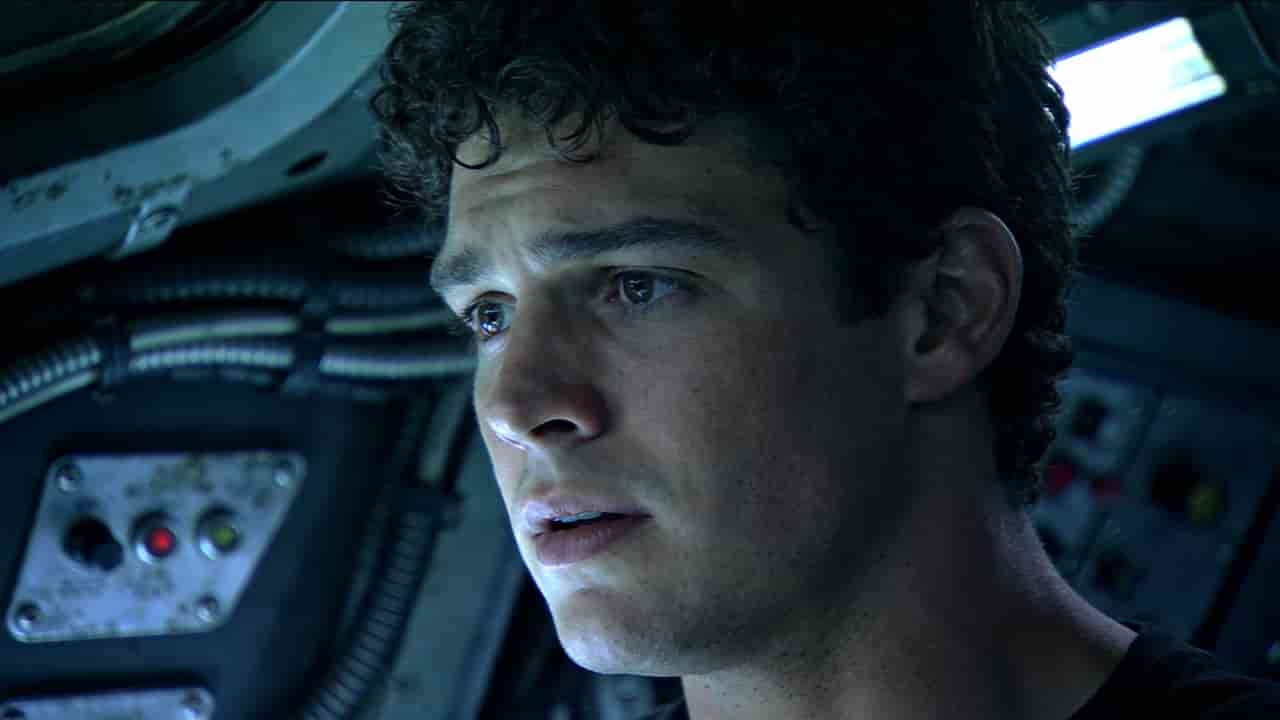
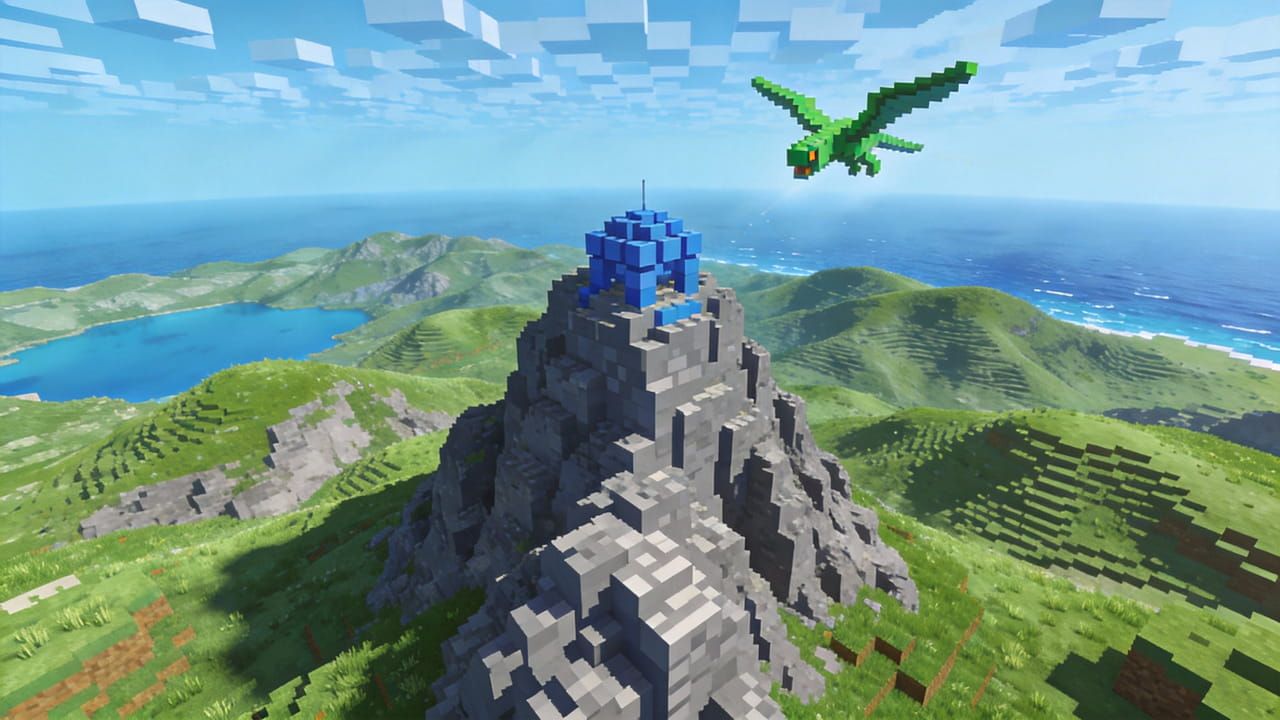
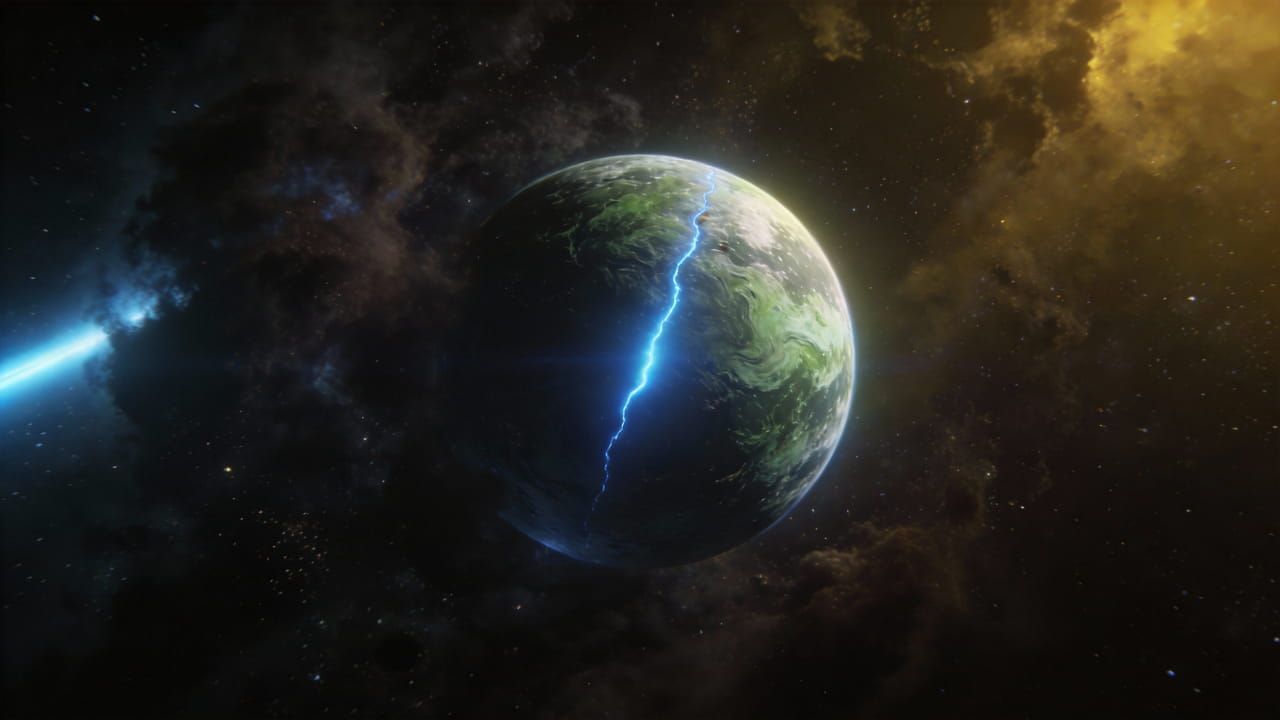
| Prompt | Replace the subject in @Video1 with the person from @Image1, using @Image1 as the opening frame. The person is wearing virtual sci-fi glasses. Replicate the camera movement from @Video1—a close-up, circling shot—then transition the perspective from third-person to the character’s subjective POV. The camera "enters" the AI glasses, arriving at the deep blue universe of @Image2, where several spaceships appear and recede into the distance. Follow the spaceships into the pixelated world of @Image3, flying at a low altitude over a pixelated forest to showcase the trees' growth patterns. Finally, tilt the camera upward and move rapidly toward the light green textured planet of @Image4, ending with a skimming traversal over the planet's surface. | ||||
| Output | |||||
Highly Controllable Camera Movement and Motion
Seedance 2.0 allows you to direct camera behavior and motion by uploading existing video clips as "motion templates". By using the @video tag in your prompt, you can precisely replicate complex cinematography—such as Hitchcock zooms, orbit shots, and whip pans—or map intricate choreography from a reference video onto a new AI character.
Seedance 2.0 is also physics-aware. It ensures gravity, momentum, and material interactions (like flowing fabric or liquid) behave realistically.
Example 1:
| Inputs |
 |
 |
 |
|
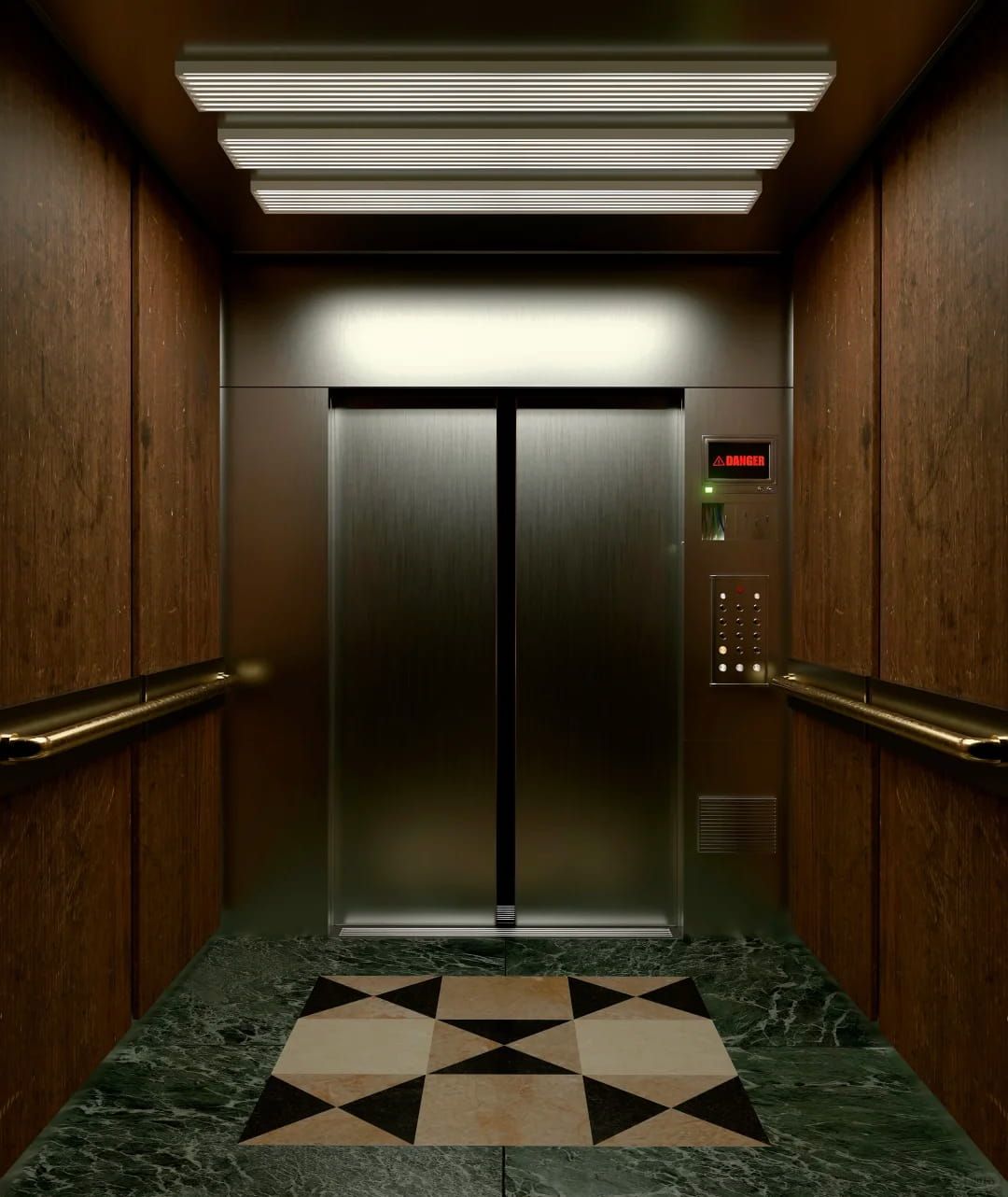
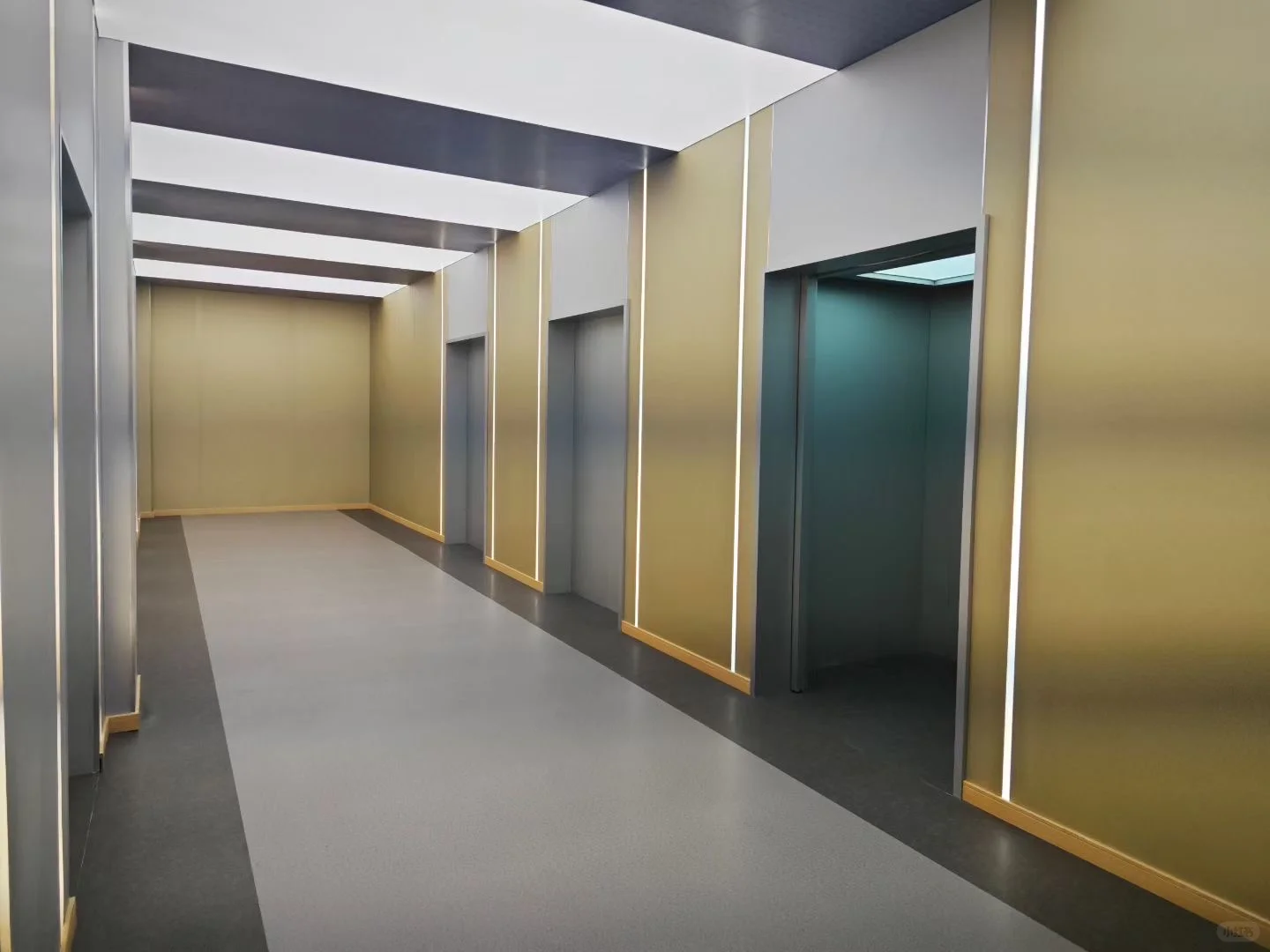
| Prompt | Referencing the appearance of the man in @Image1, he is inside the elevator from @Image2. Fully replicate all camera movements and the protagonist's facial expressions from @Video1. When the protagonist is in terror, perform a Hitchcock zoom (dolly zoom), followed by several orbiting shots to show the perspective inside the elevator. As the elevator doors open, use a follow shot to track him walking out. The scene outside the elevator should reference @Image3. As the man looks around, use robotic arm-style multi-angle shots to follow his line of sight, as seen in @Video1. | |||
| Output | ||||
Example 2:
| Inputs |
 |
 |
||
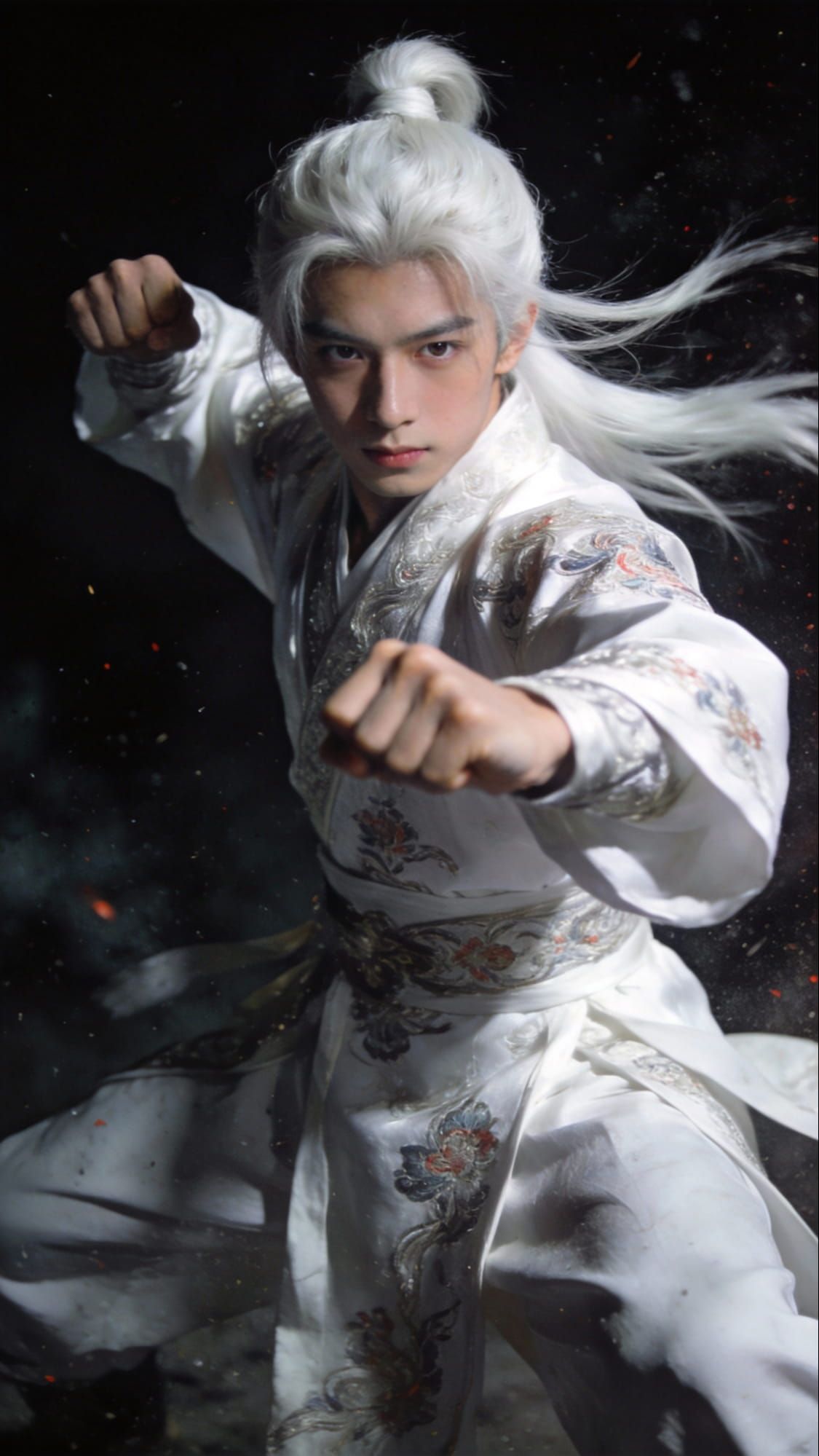
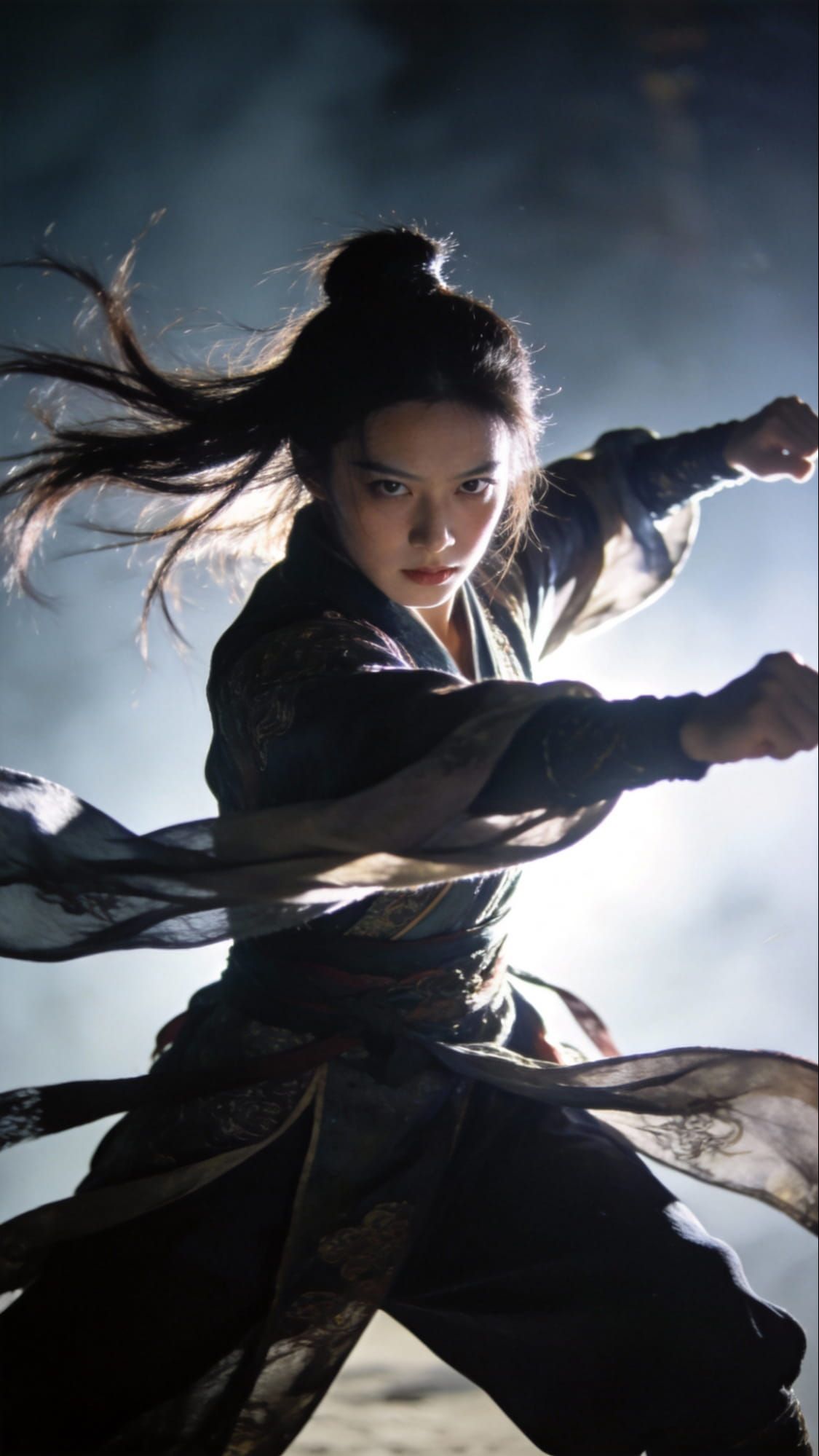
| Prompt | Generate a fight scene between the characters from @Image1 and @Image2, referencing the character movements from @Video1 and the orbiting camera language from @Video2. The battle takes place under a starry night sky, with white dust kicking up during the exchange. The fight choreography is incredibly flamboyant and visually stunning, and the atmosphere is intensely tense. | |||
| Output | ||||
Smooth and Consistent Video Extension
Seedance 2.0 allows you to extend existing videos into longer, multi-shot narratives while maintaining perfect spatiotemporal logic. The AI model can project a character's appearance, the environment's lighting, and the overall cinematic style into the next sequence, preventing the "visual drift" common in earlier models.
| Input video | Prompt | Output |
| Extend @Video1 by 15 seconds. 1-5 seconds: Light and shadows glide slowly across a wooden table and the surface of a cup through Venetian blinds, with tree branches swaying in a gentle, rhythmic 'breathing' motion. 6-10 seconds: A single coffee bean drifts down from the top of the frame; the camera performs a push-in toward the bean until the screen goes completely black. 11-15 seconds: English text gradually fades in: first line 'Lucky Coffee', second line 'Breakfast', and third line 'AM 7:00-10:00'. | ||
| Prepend 10 seconds to the video. In the warm afternoon light, the camera starts with a row of awnings at the street corner fluttering in a gentle breeze, then slowly tilts down to a few daisies peeking out from the base of a wall. Next, the protagonist's red sneakers appear in the frame; he is squatting in front of a roadside flower stall, smiling as he gathers a large bouquet of sunflowers into his arms, the petals brushing against his white T-shirt. As he turns to step onto his skateboard, the stall owner shouts with a smile, 'Watch out, the petals are flying!' He waves back at the owner before starting to glide away. A few golden petals have already broken free from the bouquet and landed on the surface of his skateboard. |
Improved Audio Generation
Seedance 2.0 introduces a capability to generate native, high-fidelity audio and video simultaneously in a single pass, ensuring perfect synchronization. It creates phoneme-level lip-sync in over 8 languages and matches environmental sound effects directly to on-screen actions, such as footsteps or glass shattering.
| Input image | Prompt | Output |
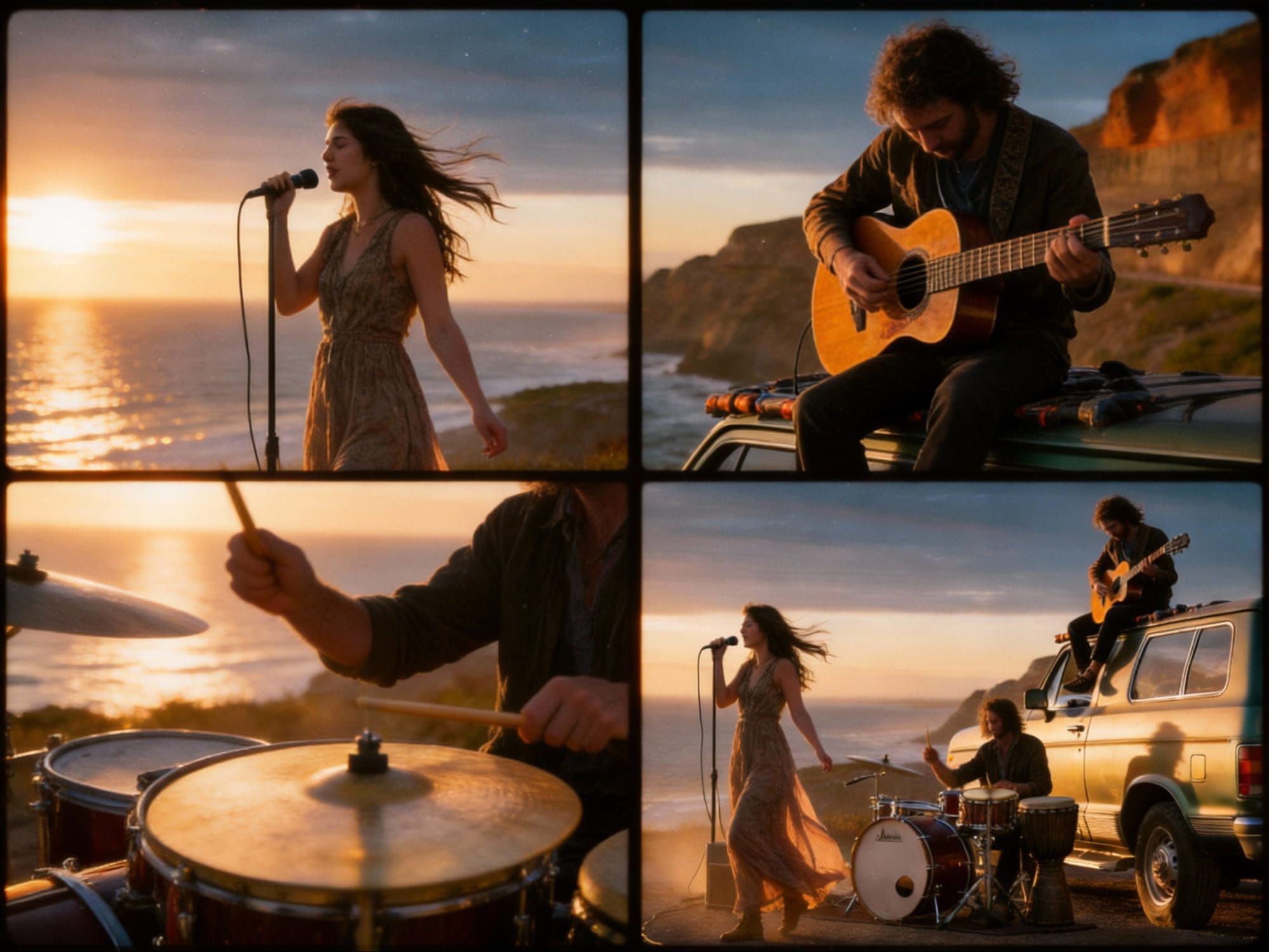 |
Generate a 15-second music video. Keywords: Stable composition / Subtle push and pull / Low-angle heroic feel / Documentary yet high-end. Ultra-wide establishing shot, low-angle slightly looking up, a dirt road on a cliff and a vintage station wagon occupying the lower third of the frame. The distant sea and horizon create a sense of space. Golden hour side-backlighting with volumetric light passing through dust particles. Cinematic composition, authentic film grain, and a gentle breeze blowing the hem of clothing. | |
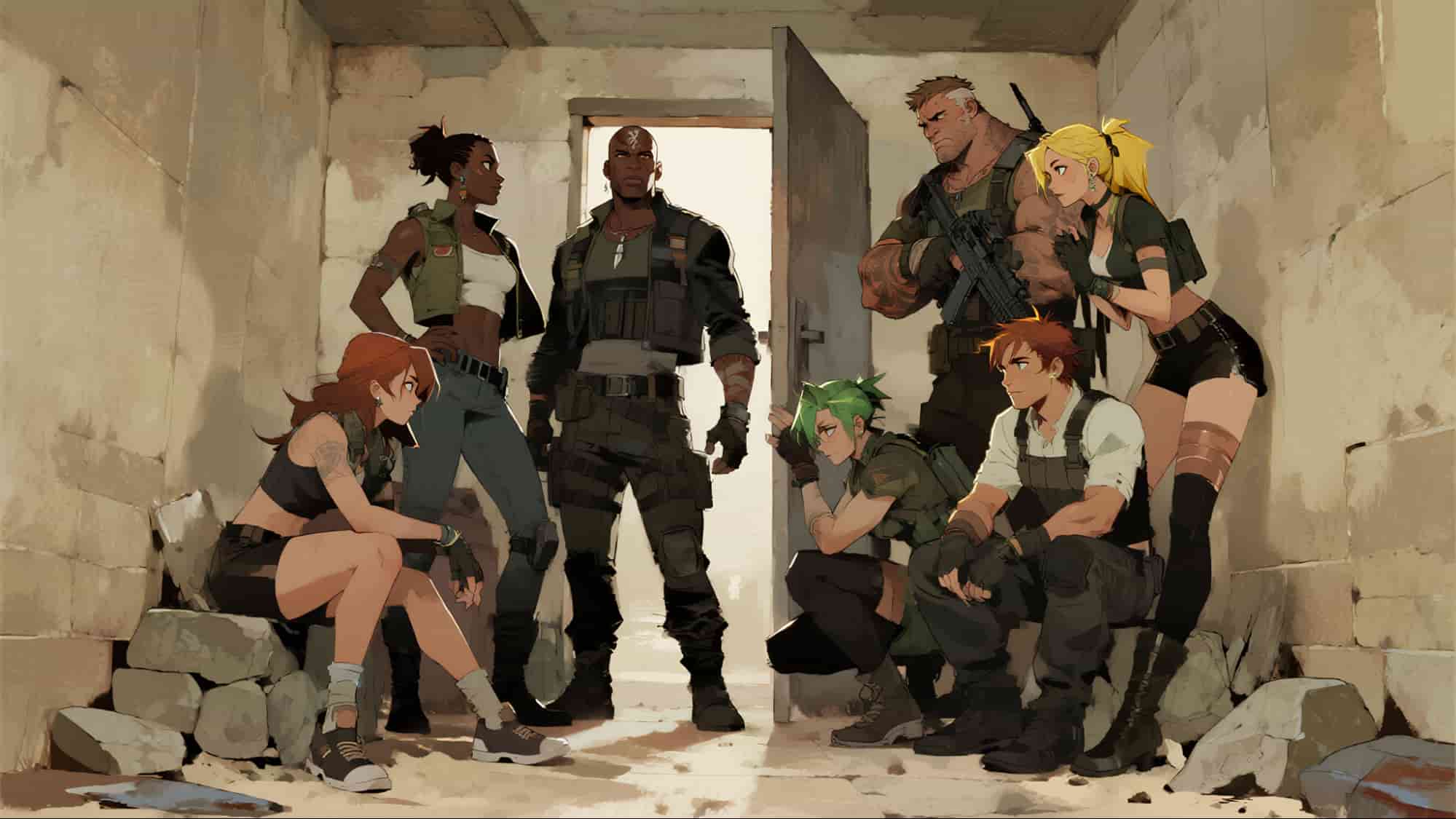 |
Fixed shot. A burly standing man (the Captain) pumps his fist and arm, shouting in Spanish: 'Raid in three minutes!' Beside him, a teammate sheaths their knife; a blonde member stands checking their firearm, while a green-haired member grips a tactical flashlight. A Black teammate claps a companion on the shoulder and asks in Spanish: 'Flank them?' The Captain nods and replies in Spanish: 'Standard procedure, keep them alive for interrogation.' Everyone remains solemn. Amidst the clinking of gear, they complete tactical hand signals and stand up in unison with perfect chemistry. Everyone is battle-ready, including two young men on the left who scramble to their feet, eager for the fight. |
Comparison of Seedance 2.0 and Other Advanced Models
| Feature | Seedance 2.0 | OpenAI Sora 2 | Google Veo 3.1 |
| Max Resolution | 2K | 1080p | 4K |
| Inputs | Text, image, video, audio | Text, image | Text, image |
| Audio | Native (Lip-sync + Sound effects) | Native | Native |
| Speed | High (~30% faster than v1.5) | Moderate | Moderate |
| Control | Director-level (Multi-ref) | Prompt-based | Prompt-based |
How to Use Seedance 2.0 on HIX AI?
Submit Your Input
Enter text prompt, or upload images, video clips, or audio files.
Create Your Video
Start your video generation and get the output in a short while.
YouTube Videos About Seedance 2.0
Reddit Posts About Seedance 2.0
X Posts About Seedance 2.0
FIRST TEST Seedance 2.0!
— Dinda Prasetyo (@heydin_ai) February 10, 2026
From my initial tests, this is one of the more impressive AI video models I’ve tried so far.
Dynamic motion feels fluid, prompt adherence is solid, and the efficiency really stood out, very little iteration needed.
Everything you see here was generated… https://t.co/2W1VSEWb96 pic.twitter.com/Wx83V4aXzb
seedance 2.0 is the only model make me so scared
— el.cine (@EHuanglu) February 8, 2026
literally every job in film industry is gone, you upload a script, it generates scenes (not just clips) with vfx, voice, sfx, music all nicely edited, we may not even need editors anymore
and now I understand why it’s not… https://t.co/YUQAYuMhh8 pic.twitter.com/UYsP5fGMo6
AI is getting crazier..
— Min Choi (@minchoi) February 10, 2026
Seedance 2.0 just made this 🤯 https://t.co/lllaMqS6Wj pic.twitter.com/Z7d3hqGN37
Seedance 2.0 has been all over my timeline for the last three days. It is not yet in public access, but ByteDance apparently plans to release the API on Feb 24. Many of the gens from early access are showing off the amazing progress being made on anime. Compilation thread: https://t.co/tFuJuLHL43
— Andrew Curran (@AndrewCurran_) February 10, 2026
China’s Seedance 2.0 just broke the internet.
— AI Highlight (@AIHighlight) February 9, 2026
People are already creating short movies, anime, and cinematic shots with it.
10 wild examples:
1. Hollywood is cooked. 🤯
pic.twitter.com/qiBNrPmDqS
🇳🇱🗽 This is @BytedanceTalk's Seedance 2.0 with my New Amsterdam (current day New York City) Simulator prompt
— @levelsio (@levelsio) February 11, 2026
Unlike previous models like Seedance 1.5 (which would add windmills that didn't look Dutch), it really accurately portrays the city as it was in 1670
It's very… https://t.co/yyeZgGNR0l pic.twitter.com/46sHAUlQa9
Here is my first Seedance 2.0 generation. Also, everyone wants to have fun so stop gatekeeping this stuff, just go here and generate. Login with a google account. If you solve a puzzle, you're logged in because even if it asks you to verify a number just refresh the page with the… pic.twitter.com/2fqiMqNPMG
— Travis Davids (@MrDavids1) February 10, 2026
Made this in 30 minutes with Seedance 2.0.
— Rayleigh_AI (@Long4AI) February 8, 2026
We’re entering an era where one person can make a film. pic.twitter.com/Txpc83FRcM
Seedance 2.0 really changes the game in AI video generation. I create a lot of Sora 2 videos, and I can tell that Seedance 2.0 definitely looks better and far more consistent. Soon, every cartoon or animated show will be created with AI in a fraction of the time and cost! https://t.co/PtDjFSVZK6
— Derya Unutmaz, MD (@DeryaTR_) February 11, 2026
why is nobody talking about how INSANE this seedance 2.0 feature is....
— Miko (@Mho_23) February 10, 2026
you can attach multiple images, videos, and audio clips as reference for a single generation
this means you can recreate the editing style and video style of literally any video on the internet
find… pic.twitter.com/uA7vyUUDcL
FAQs
When was Seedance 2.0 released?
Seedance 2.0 was officially launched in February 2026, marking a major shift from experimental AI clips to professional, production-ready workflows.
What is the maximum resolution and duration of Seedance 2.0?
Seedance 2.0 can generate videos up to native 2K (2048x1080), providing cinematic quality without upscaling artifacts. Its output clips are typically 4–15 seconds long, but can be extended up to 60 seconds.
Can Seedance 2.0 maintain character consistency across different clips?
Yes, the model ensures the face, hair, and clothing remain consistent across multiple generations or extended sequences.
Can I edit existing videos with Seedance 2.0?
Yes. Seedance 2.0 supports Video-to-Video editing. You can upload a clip and use text prompts to change specific elements (e.g., "Change the character's outfit to a space suit") while keeping the original motion and camera work intact.
How fast is the generation with Seedance 2.0?
Seedance 2.0 is optimized for speed, performing roughly 30% faster than version 1.5. A standard 5-second, high-quality clip typically generates in under 60 seconds.
Can Seedance 2.0 render text (logos, signs) accurately?
While improved, text rendering remains a challenge. Simple, large-scale text may work, but complex logos or small-print signs can still appear "garbled".