


I do admire how AI video generators are becoming more advanced each day. But I personally find that the idea of user simplicity is going out of style for many of these platforms.
With every new feature comes an even steeper learning curve, making it difficult for new users to generate videos right away. So, when I came across DeeVid AI, I was intrigued.
Compared to its competitors, I noticed how it goes for a more straightforward UI experience. No bells and whistles, just the tools you need laid out in clear view, even for first-timers.
Naturally, I was curious to know more about it. Does it truly make AI video generation easier? Is the video quality good? To find out, I took some time to carry out a few tests of my own.
Now, I’m very eager to get into all of that. But I know some of you may want a quick run-through, so let me sum up what I think of DeeVid AI after using it.
On the one hand, I consider the platform to be very beginner-friendly. With simplistic controls, ready-made templates, and fast video processing, it can speed up any content workflow.
But on the other hand, I wouldn’t count on DeeVid AI for video quality. I found the outputs to be rather unpredictable, especially when longer videos or more intricate prompting were required.
Here’s a broader view of what I consider to be its best and worst aspects:
Pros
- Multimodal inputs (text, image, and video)
- Vast templates and video effects library
- Extremely simplistic user interface
- Supports native audio generation & lip sync
- Large community database
- Mobile app available
Cons
- Limited video customization
- Inconsistent video output quality
- Free plan is very restrictive
- Max video duration set at 8 seconds
Want to know more about my experience with DeeVid AI? Then stick around! There’s a lot for me to unpack, and I’ll fittingly start with what exactly DeeVid AI has to offer.
Table of Contents
An Introduction to DeeVid AI
Launched in 2024, DeeVid AI is an advanced AI media creation platform that can generate dynamic and stylized visuals from text, images, or existing video inputs.
When I landed on the user dashboard, I could tell this platform was built to simplify short-form video production. Instead of a cluttered and overwhelming interface, it’s quite minimalistic.
I could easily pinpoint where each tool is, so I didn’t need to waste much time familiarizing myself with how it all works. And even the entire login process is low-friction.
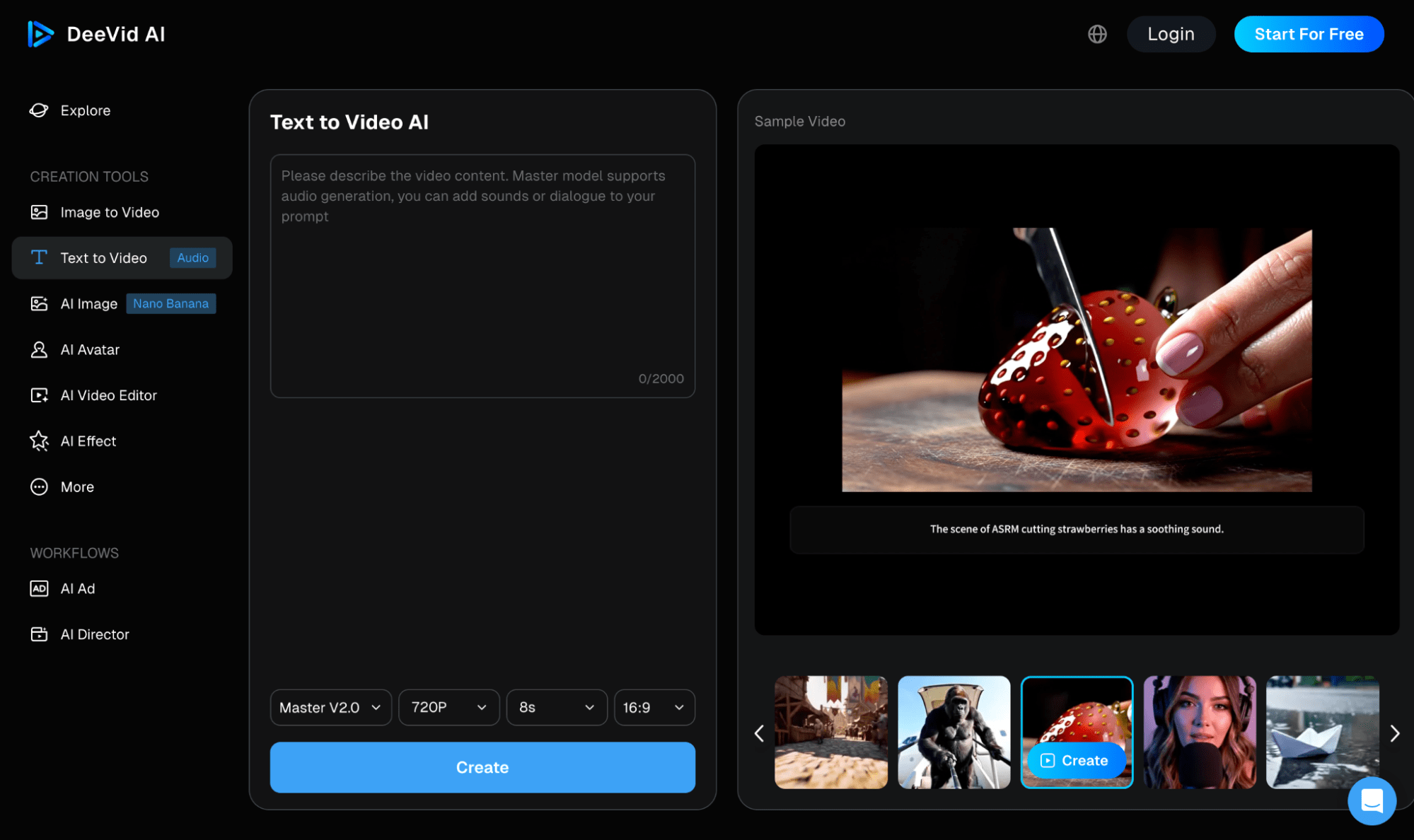
When faced with the text-to-video generator, I didn’t need to do much besides input the text prompt, select my configurations, and create my video.
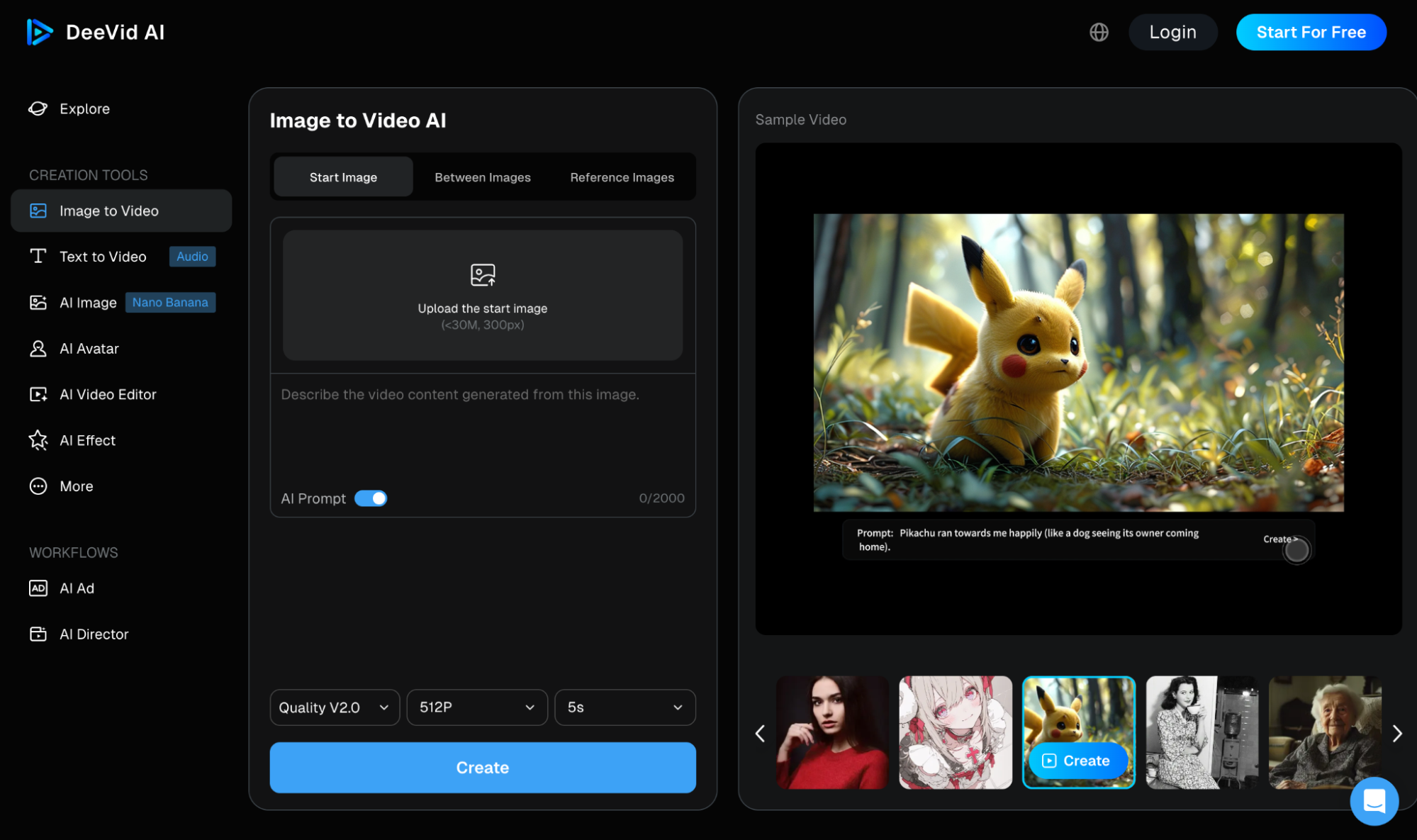
As for image-to-video, I could use ‘Start Image’ for single uploads, ‘Between Images’ for both start and end frames, or ‘Reference Images’ for multiple inputs, alongside the text prompt.
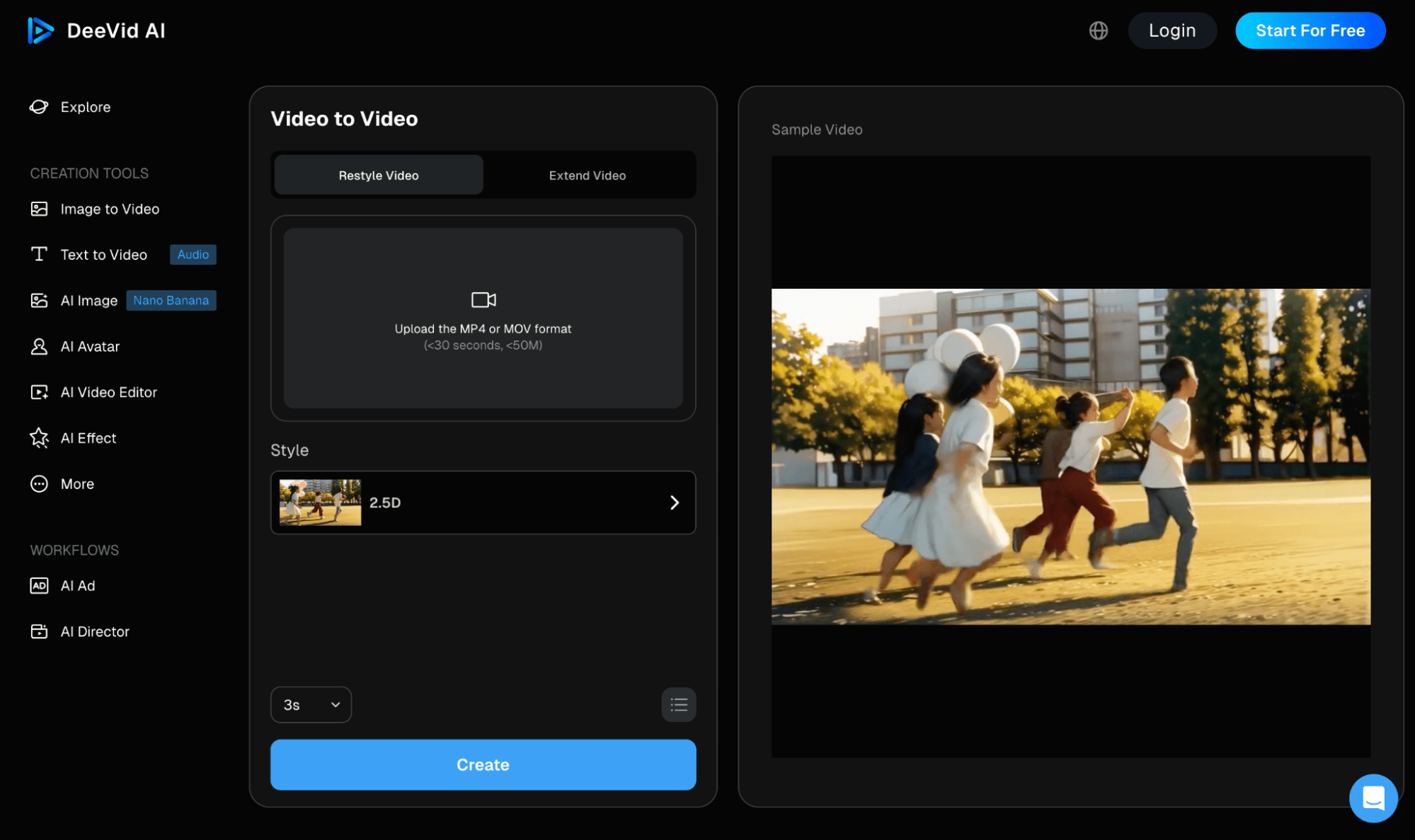
With video-to-video, I could access video restyling and extending features, making it possible to reimagine any existing footage in just a few clicks.
DeeVid AI also has its own AI video models. There’s Fast V2.0 for quick outputs, Quality V2.0 that supports multi-camera switching, and Master V2.0, which includes lip-sync and sound effects.
Aside from that, I can also select and set various video configurations such as resolution, duration, and aspect ratio for more tailored outputs.
Given how basic the controls are, I think this makes it perfectly-suited to novices who typically need a quick and hassle-free way to produce short-form videos.
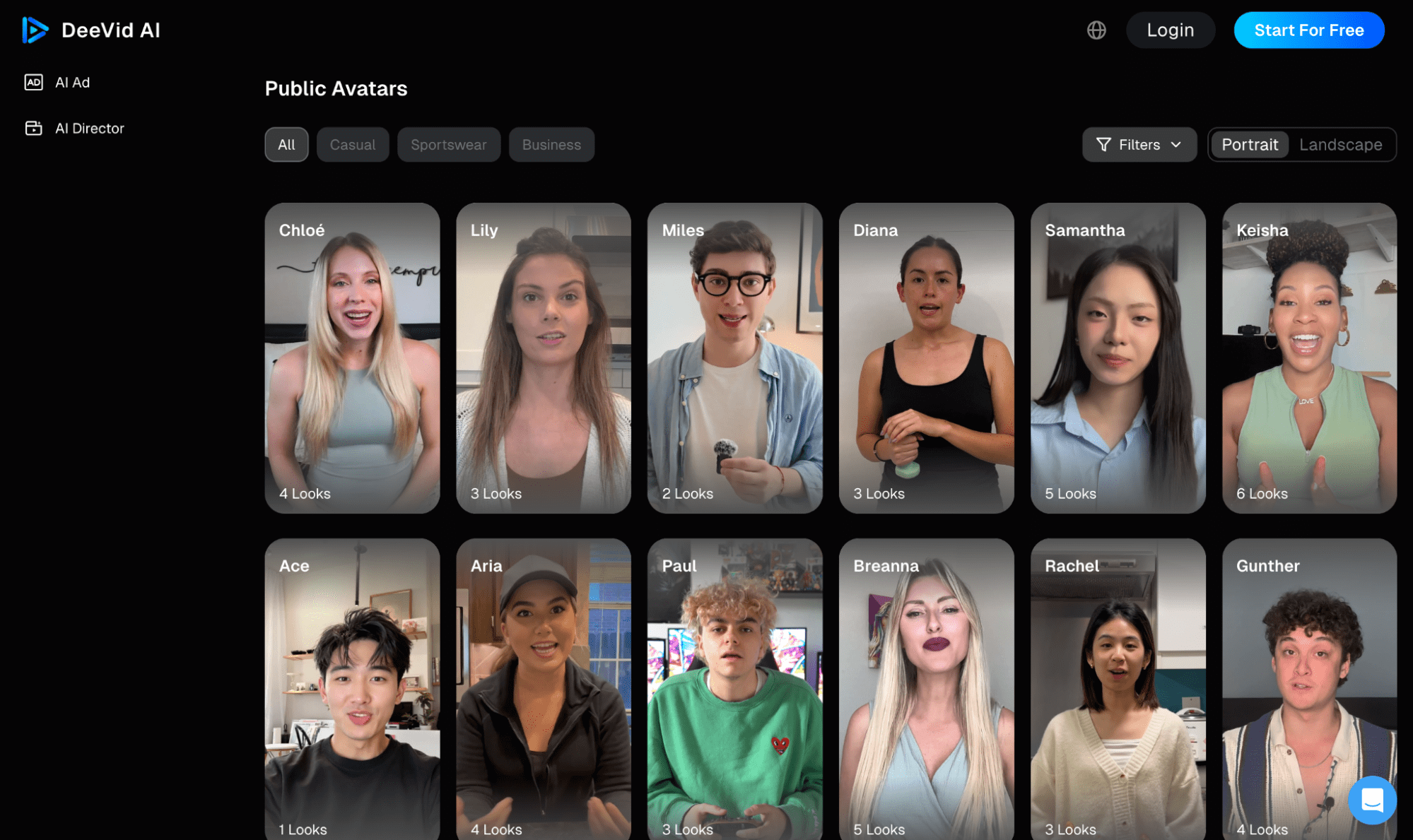
Speaking of short-form content, I was a little surprised to see that DeeVid AI also has a vast library of pre-built avatars that span different genders, ages, ethnicities, etc.
What’s more, each of these avatars comes with multiple looks to choose from. This makes it possible for me to create different UGC-style videos.
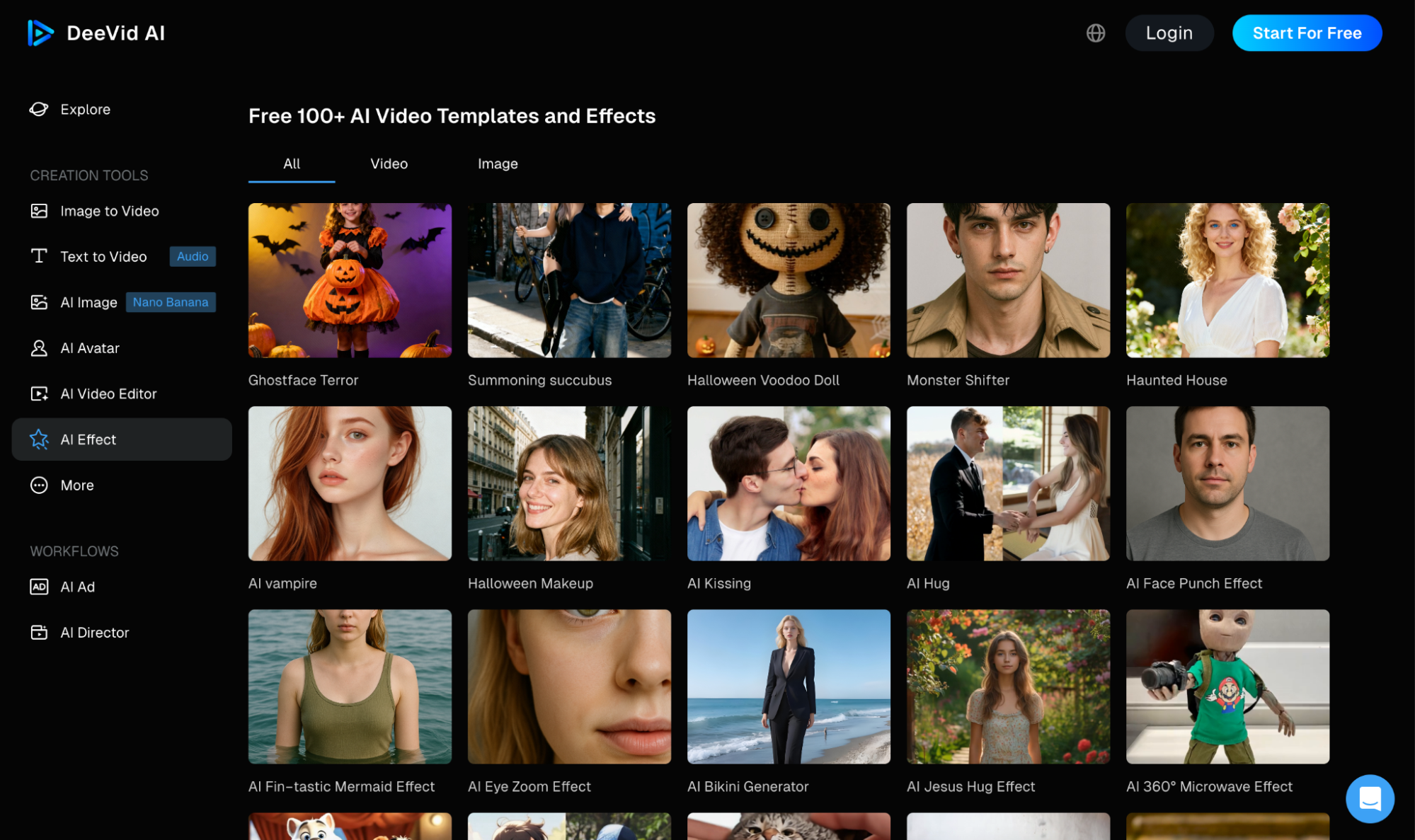
There’s also a vast collection of 100+ AI video templates and effects on DeeVid AI that I can use to produce all kinds of entertaining and shareable videos in minutes.
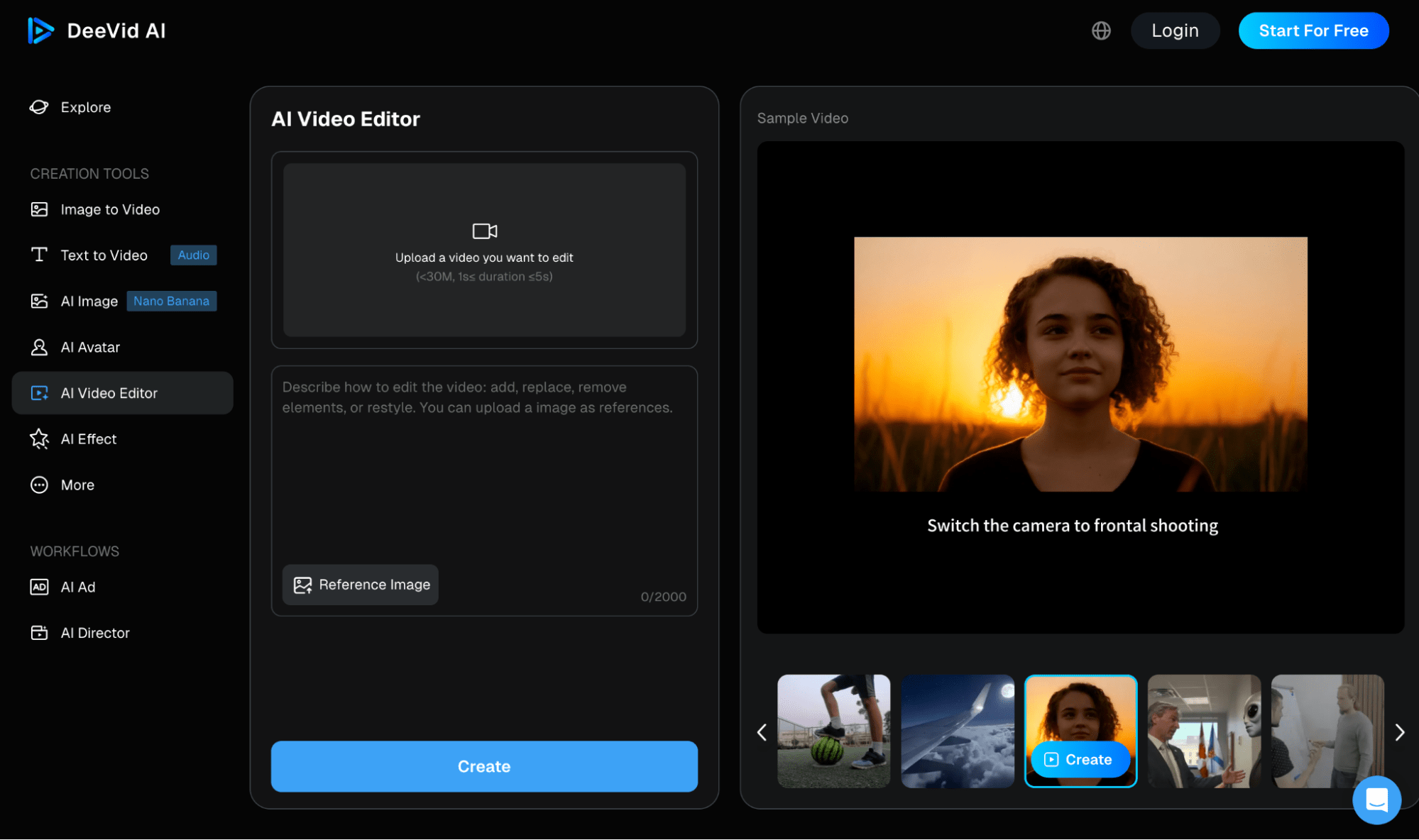
And, if I ever need to edit my existing videos, there’s an AI video editor. I can use it to add/replace/remove various characters and elements, or even restyle the footage.
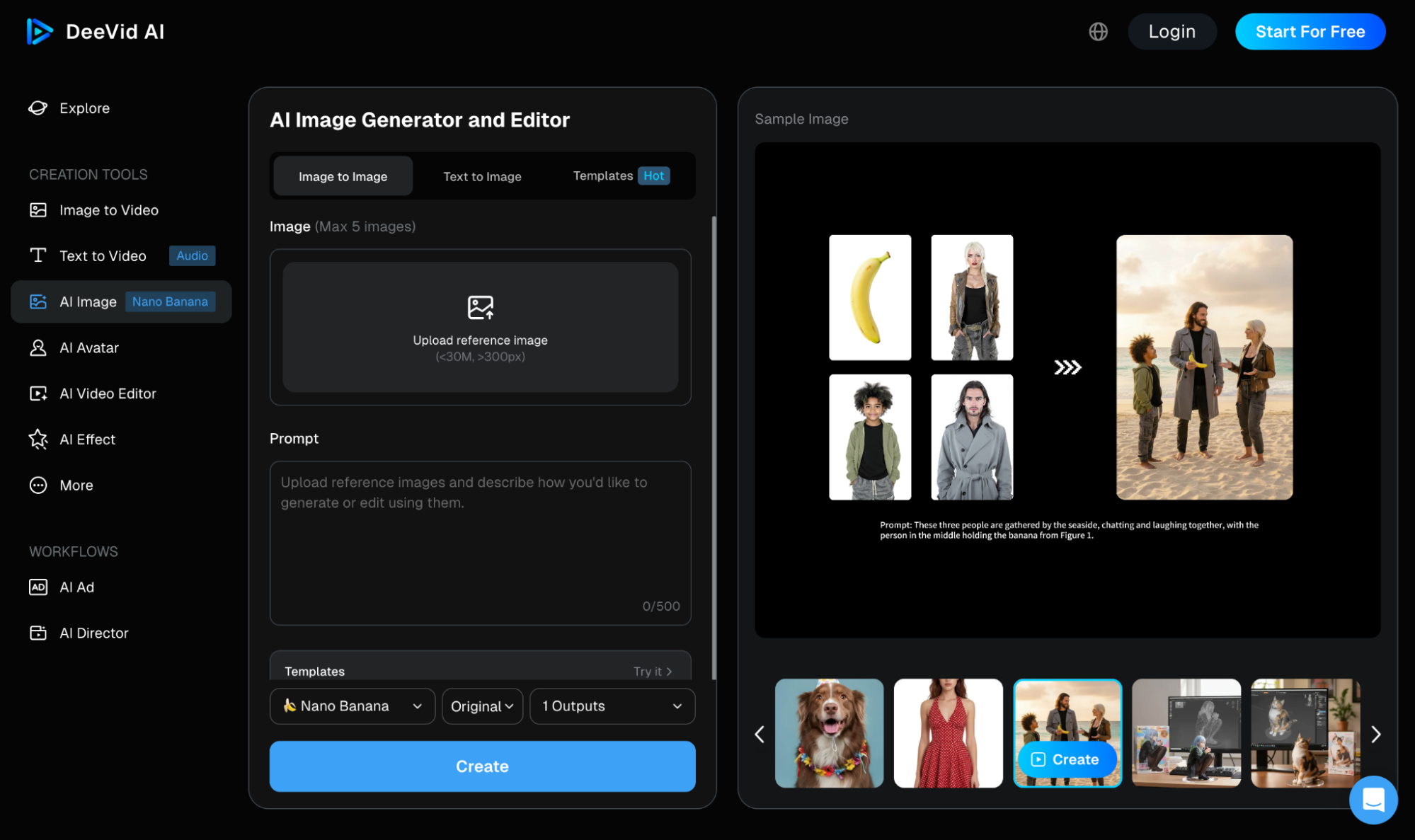
For those who want to create images, it also has an AI image generator and editor. This lets me create, reimagine, and restyle any imagery using AI models like Google’s Nano Banana.
I also like that DeeVid AI has a seamless mobile app. This can be very useful for creators who are frequently on the move.
Having broken all that down, it’s clear that DeeVid AI has a lot to offer. But what I was truly desperate to find out is whether the output quality is worth it or not. Stay tuned!
How Was My Experience with DeeVid AI?
For my first test, I wanted to see just how DeeVid AI performs with native audio generation and lip syncing. So, this was the prompt I used below:
[The scene opens at a sleek, modern luxury fashion shop. The glass doors slide open as a man steps out, dressed in a sharp suit, accompanied by a stunning woman on his arm, holding several high-end shopping bags. The camera follows them as they exit the store.
Woman: "You know, I think you’re getting better at this whole shopping thing."
The man chuckles: "Just doing my part to keep up with you."
They continue walking down the street, the camera capturing their walk, before pulling back to show the vibrant city life around them.]
You can check out the video it produced here:
At first glance, it doesn’t seem like a bad result. For starters, the prompt adherence was spot on. The tool captured almost every aspect, not even leaving out a word from the dialogue.
I was pleasantly impressed by the audio, too. It didn’t sound robotic at all, down to the chuckles and laughter. Even the sound effects of traffic in the background were a nice touch.
Also, the lip-synchronization on the female character was tentatively good. It had fairly minimal inaccuracies, which is commendable.
But that’s where the positives end. At least at the beginning, the character renders weren’t bad. But as the video progresses, it seems the model struggles to maintain temporal consistency.
In the first few seconds, the output is solid. However, as the footage continues, particularly as the camera pans away, the characters’ faces stop being legible.
To be precise, they become warped and distorted. I also noticed that most of the background characters faced the opposite direction. And those that didn’t also had unclear facial features.
It seems the AI model struggles to render more than a few subjects at a time with precise detail. So, not a bad result but the inconsistencies stick out if you look close enough.
Overall, I’d give this output a 7.5/10 score.
When it came to my second test, I aimed for something simpler but a little more imaginative. So, this was the prompt I used:
[A knight in medieval armor sits cross-legged around a crackling campfire at dusk, his sword resting nearby. Across from him, a witch in flowing black robes reaches out her fingers above the fire while glancing up to meet the knight’s warm gaze with a blushful smile forming on her lips — the air between them is buzzing with unspoken tension.]
Here is the video that was generated below:
In this test, the video render seems relatively fair. For the most part, the character renders look quite lifelike. I even appreciate the level of detail on the knight’s armor for good measure.
But once again, I believe the flaw in DeeVid AI’s outputs seem to lie in its inability to maintain temporal consistency. At first, the scene looks stable but slowly, small visual cracks appear.
For example, when her hand was above the fire. It seems fine at first, but I noticed that it starts to distort as the camera pans, breaking the cinematic effect.
There was also less emotional depth than I expected from the characters. Despite my prompt instructions, their facial expressions were quite nearly static throughout the scene.
If anything, the entire interaction felt robotic at best. So, not the most realistic multi-character video. Because of that, the highest score I could give this test is a 6/10 rating.
Ultimately, Would I Recommend Using DeeVid AI?
To be honest, I’m on the fence about DeeVid AI. I appreciate how uncomplicated the interface is. And it shows promise in nailing visual scenes that most competitors often fail to deliver.
As we saw in the first test, the video started relatively well. And if I didn’t dig deeper, I’d have even considered it as a passable result. But it faltered just when you’d least expect it to.
Even the second video render wasn’t terrible. It just lacked the emotion and atmosphere that would’ve made the scene feel more authentic.
Simply put, I find it to be an AI video generator that is quite unpredictable. It shows flashes of brilliance, but then stumbles just when you’d expect it to bring the win home.
So far, we’ve seen faltering temporal consistency, warping, distortions, lack of facial expressiveness… It’s a shuffle of cards with no way of knowing what you’d get.
This inconsistency can be a hindrance, especially since it means potentially making multiple regenerations. Given the credit consumption rate, I wouldn’t feel confident using it daily.
Plus, it had little to no customization tools. I had no chance of tailoring the footage before generations, other than via the prompt box. I consider that to be too restrictive.
At this time, I would use DeeVid AI as a starting point because it is quite simple and fast at producing visual prototypes. But for polished, cinematic videos, I would look for an alternative.
A Powerful DeeVid AI Alternative? Go Check Out HIX AI!
In my opinion, DeeVid AI has chinks in its armor that make it unreliable for professional use. Instead, I would suggest a more refined and consistent solution like HIX AI video generator.
Chat to Generate AI Videos
I came across it not too long ago, and as an all-in-one media creation platform, it’s not limited to one proprietary model. You’ll have access to multiple industry-leading AI models in one place!
For video generation, HIX AI is perfectly integrated with Sora 2, Google Veo 3.1, Wan AI, Kling AI, Runway, and PixVerse AI, just to name a few of its many options.
Whether you want to produce highly detailed and immersive cinematics, captivating 3D animations or even imaginative Pixel art, the platform accommodates any visual style.
And unlike DeeVid AI, the generated outputs can maintain visual fidelity much more consistently, no matter the video duration, prompt, or scene complexity.
Taking all this into account, I think that it is well-equipped for casual users, creators, brands, marketers, or any other working professional, for that matter.
Conclusion
DeeVid AI feels like a bold leap into AI media creation. And for the most part, it has taken the right steps forward, especially compared to other tools out there. Yet, I find that it has yet to prove itself as a production-ready tool, at least for the time being.
Instead, I’d suggest giving HIX AI video generator a try. It delivers far better quality outputs with even greater visual consistency than DeeVid AI, so go ahead and test its capabilities via its free trial now!
👍AI-powered agents • 💎Multiple AI models • 😃Free trial available