


With an abundance of AI agent platforms, I have been hopping between most of them lately. And amidst all of this, I came across Genspark AI, and instantly got the feeling of when a new tool looks almost too good to be true.
I couldn't stand not trying it, and with its overwhelming features, I decided to put it to the test and see how well it actually performs.
From creating custom hubs to its integrations and multiple AI features, only one question was running through my mind: “Would it be able to catch what I want and generate quality results?”
So, I got the answers and I am ready to share them all with you. But, before I get into the details of Genspark AI, here’s the TL;DR version with my main pros and cons.
TL;DR
If you want the quick version of my experience with Genspark AI: it’s a promising AI agent platform with impressive ideas, but not everything feels fully polished yet.
Some features genuinely worked well (AI Designer and Docs), while others still need refinement to match real workflow needs.
Below are the quick pros and cons for you to look at.
Pros:
- Clean, modern UI that’s easy to navigate
- AI Designer and AI Docs produce surprisingly structured results
- Multiple creation options for AI Developer (full-stack, GitHub, native apps)
- Quick generation speed for most outputs (lightweight ones)
- Good for beginners who want everything in one workspace
Cons:
- Some outputs feel generic or lack real creative depth
- AI Slides formatting is inconsistent and needs more refinement
- Occasional lag when switching between tools
- Not ideal for advanced or professional-grade workflows
Table of Contents
They say the first impression is the last. So, what was my first impression of Genspark AI?
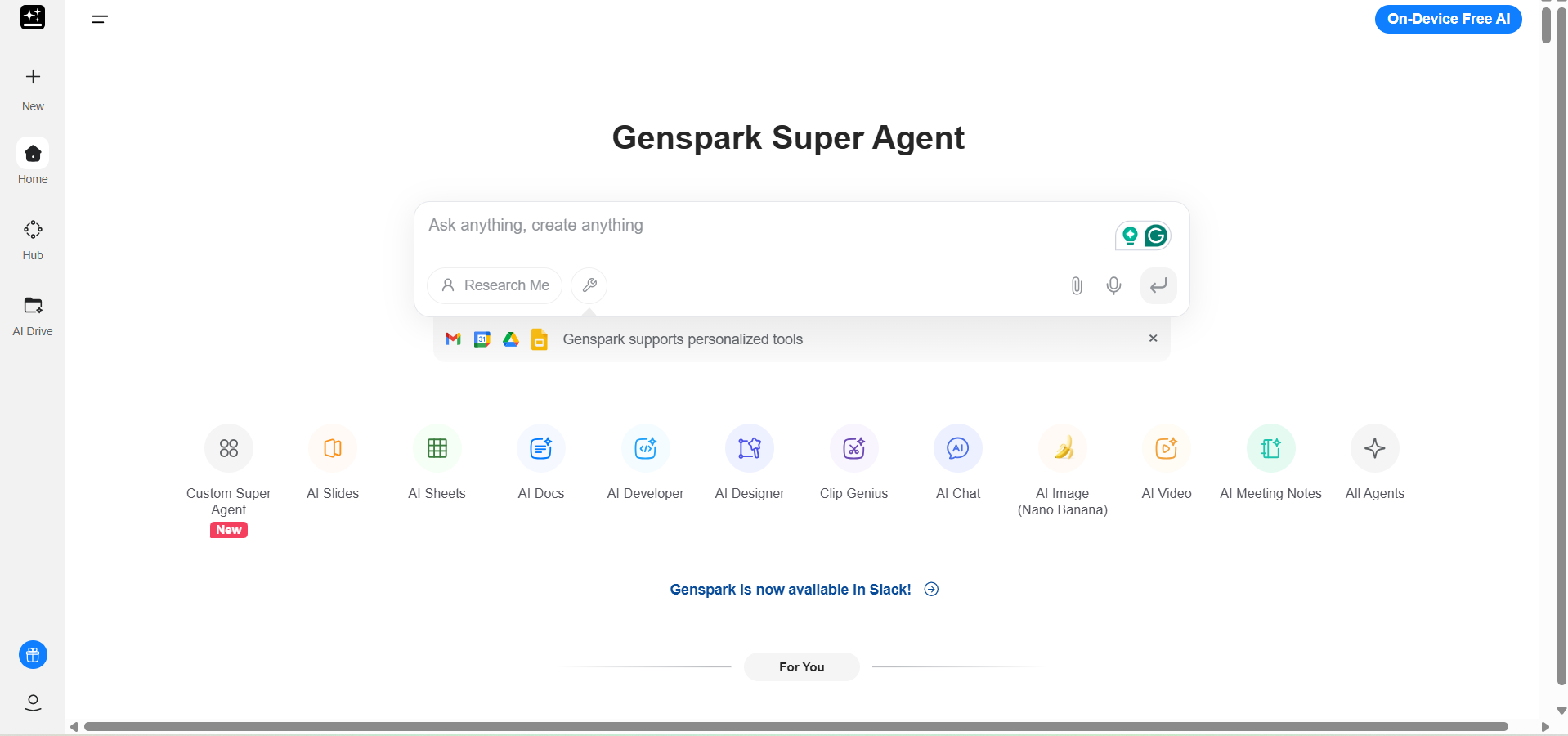
When I first landed on Genspark AI, it looked sleek and well put together.
The homepage is intuitive yet gives you that modern AI tool feel, and also offers straightforward navigation. As a new user, it did not bombard me with too much information, which I liked.
In addition to that, the document and design editors, for instance, feel familiar if you’ve used Google Workspace tools, which makes onboarding quick.
As I started exploring, I noticed that Genspark’s workflow aims to make multitasking easier.
Each tool opens in a new workspace, and switching between them is relatively smooth. However, I also noticed that at times, there’s a slight lag. You might experience this when loading complex prompts or switching between larger projects.
As for accessibility, Genspark doesn’t require a heavy setup. You can get started right from your browser, which is convenient. The free plan gives you a taste of the tools, though you’ll quickly hit feature limits if you’re working on more demanding tasks.
Overall, my first impression was that Genspark AI is intuitive and designed for productivity.
But once you start digging into the features, you realize there’s still room for improvement in performance consistency and workflow speed.
Let’s get into uncovering the features without any further ado.
Putting Genspark AI to Work: Testing Every Major Tool It Offers
Before forming an opinion about the AI tool, I tested its core features the way a real user would.
In my testing, I worked on Slides, Sheets, Docs, Developer, and Designer, across different workflows to see how well they performed in practical, day-to-day tasks.
So whether I wanted to create quick drafts or generate results for complex requests, I pushed the platform to understand its strengths, its limits, and where it fits compared to other AI agent platforms I use regularly.
Here’s my honest breakdown of how each feature performed.
AI Slides
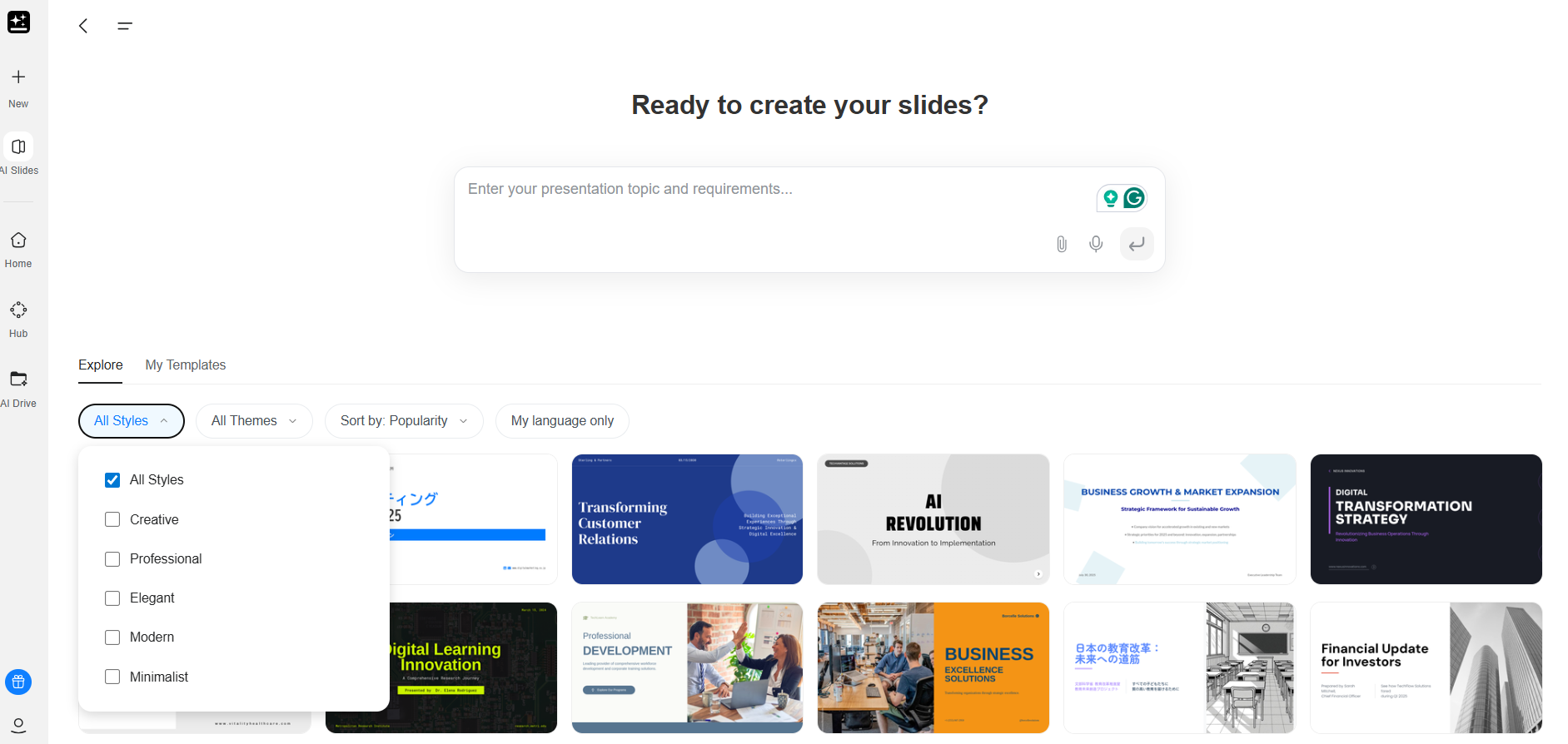
When I tried the AI slides features of Genspark AI, the workflow went smoothly as I entered a topic, chose the style (and sorted by popularity). It generated a full-fledged presentation in about five minutes (by using deep thinking at the backend).
It first created the outline for each slide, then started coding the HTML format as shown below.
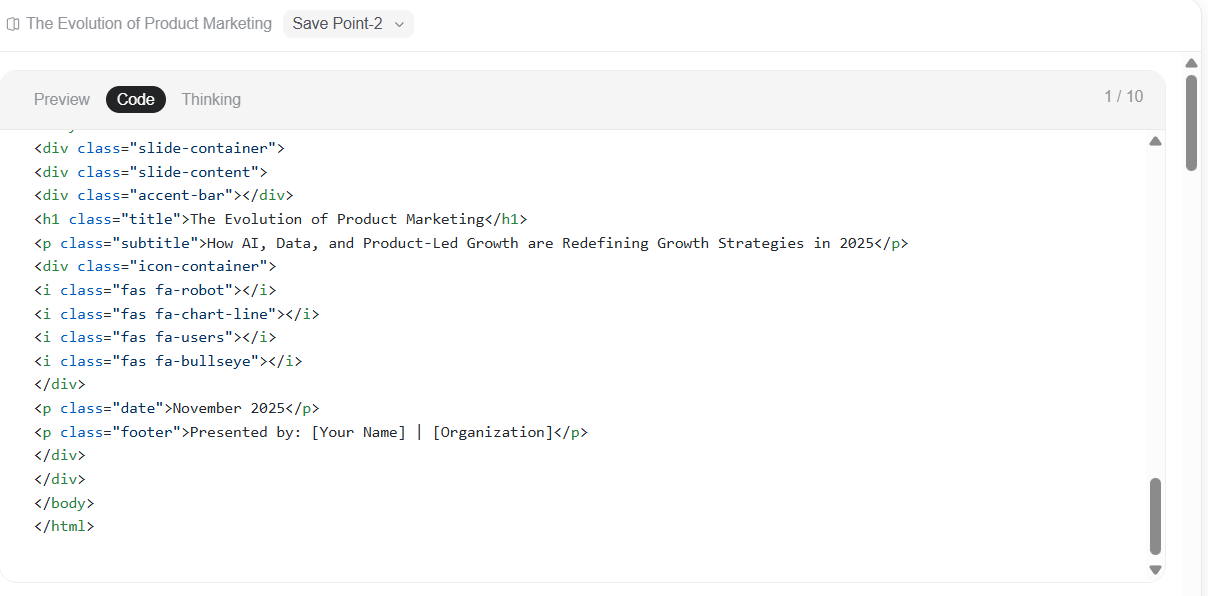
If I talk about the content of the slides, I was taken aback by the quality because it was not up to the mark, to say the least. It randomly added the stats in every slide, which was not needed at all.
You can also see the discrepancy in information generated by Genspark AI.
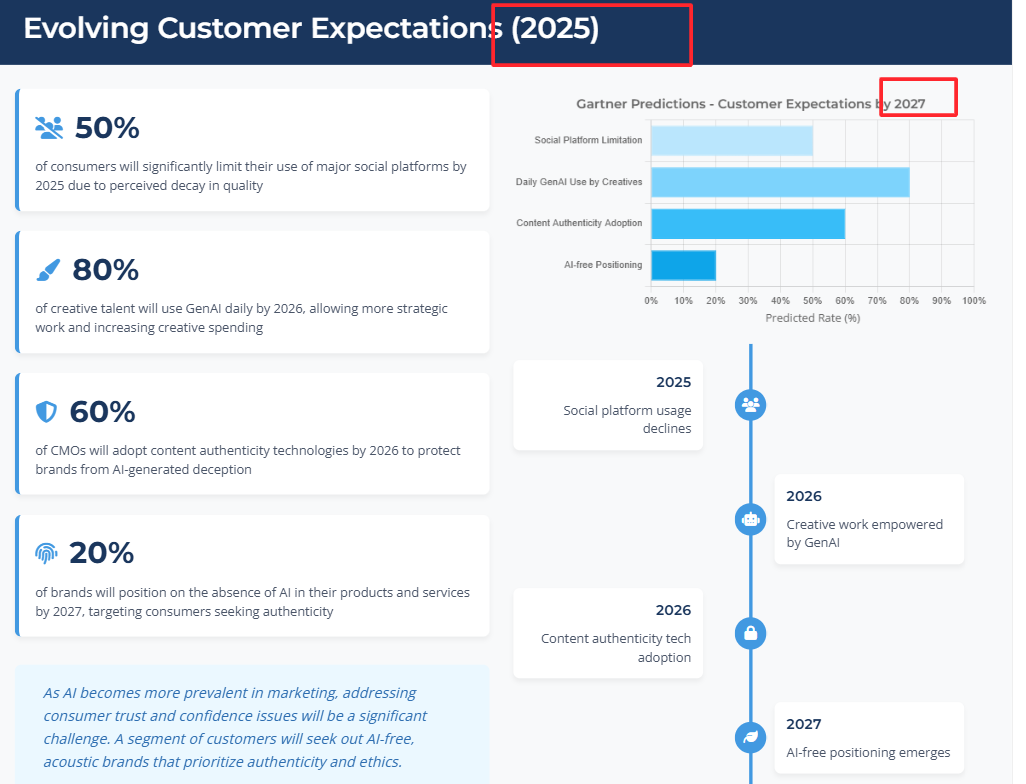
Also, the visual design felt a bit cookie-cutter. Most slides looked like variations of the same template, and I found myself editing quite a bit to get them presentation-ready.
Below are the two separate slides; in the first slide, the timeline design is randomly extended to the next slides, which were not even related.
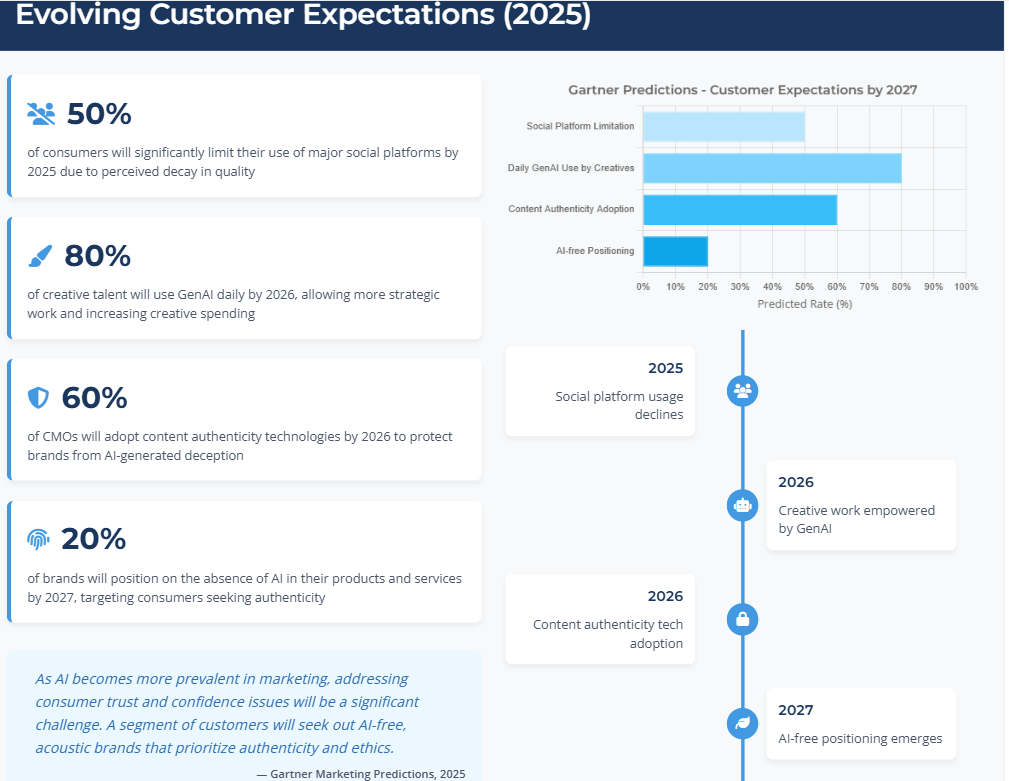 |
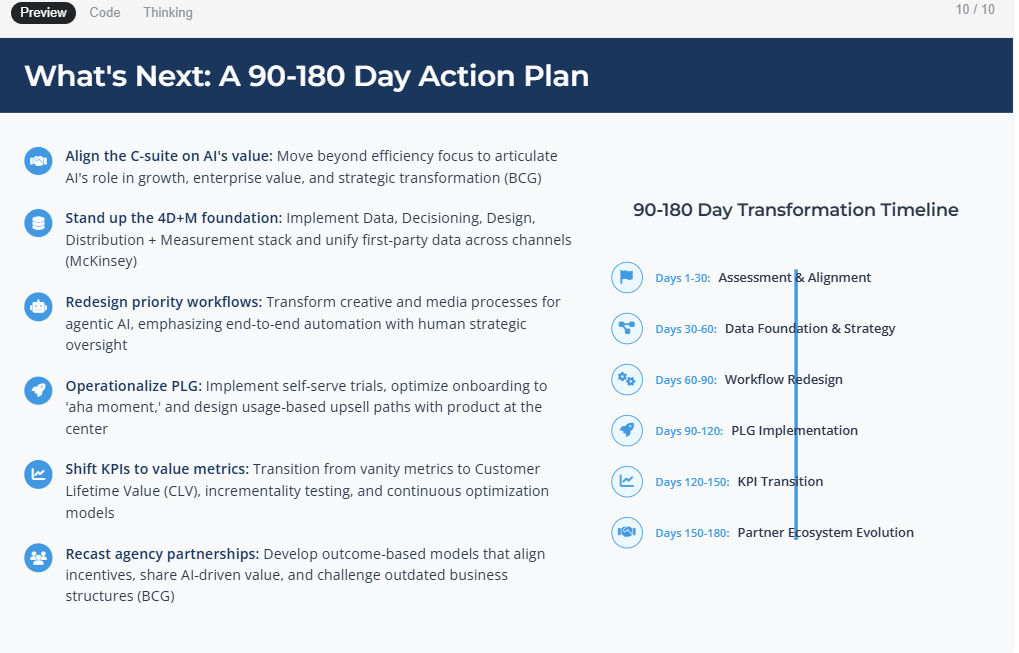 |
Still, for quick drafts, it’s helpful. Just don’t expect it to replace your design sense completely.
I would give 6/10.
To further assess its features, I tested AI sheets, and below is my honest review of the features.
Credits Usage
Before I could test the AI sheets feature, all my credits were used up (only by creating slides). I was disappointed, and while I searched to understand the credit usage, I came across a Reddit thread that shared the same experience as mine.
However, this did not stop me because I really wanted to check its potential and how far it goes in producing results.
AI Sheets
I tested AI Sheets by asking it to generate a content planning sheet. It handled the basics well — columns, formulas, and layout appeared instantly.
Below is the prompt I gave to Genspark AI to test it.
{{Create a sheet that lists the top 20 AI startups founded after 2024. Include columns for: company name, founder(s), headquarters, funding raised, product category, and website. Fill in all data automatically.}}
Even though it was an easy data entry task, Genspark AI couldn't fetch the results as requested.
I asked it to create a list of the top 20 AI startups, but it only got me six, and that too after a long processing time.
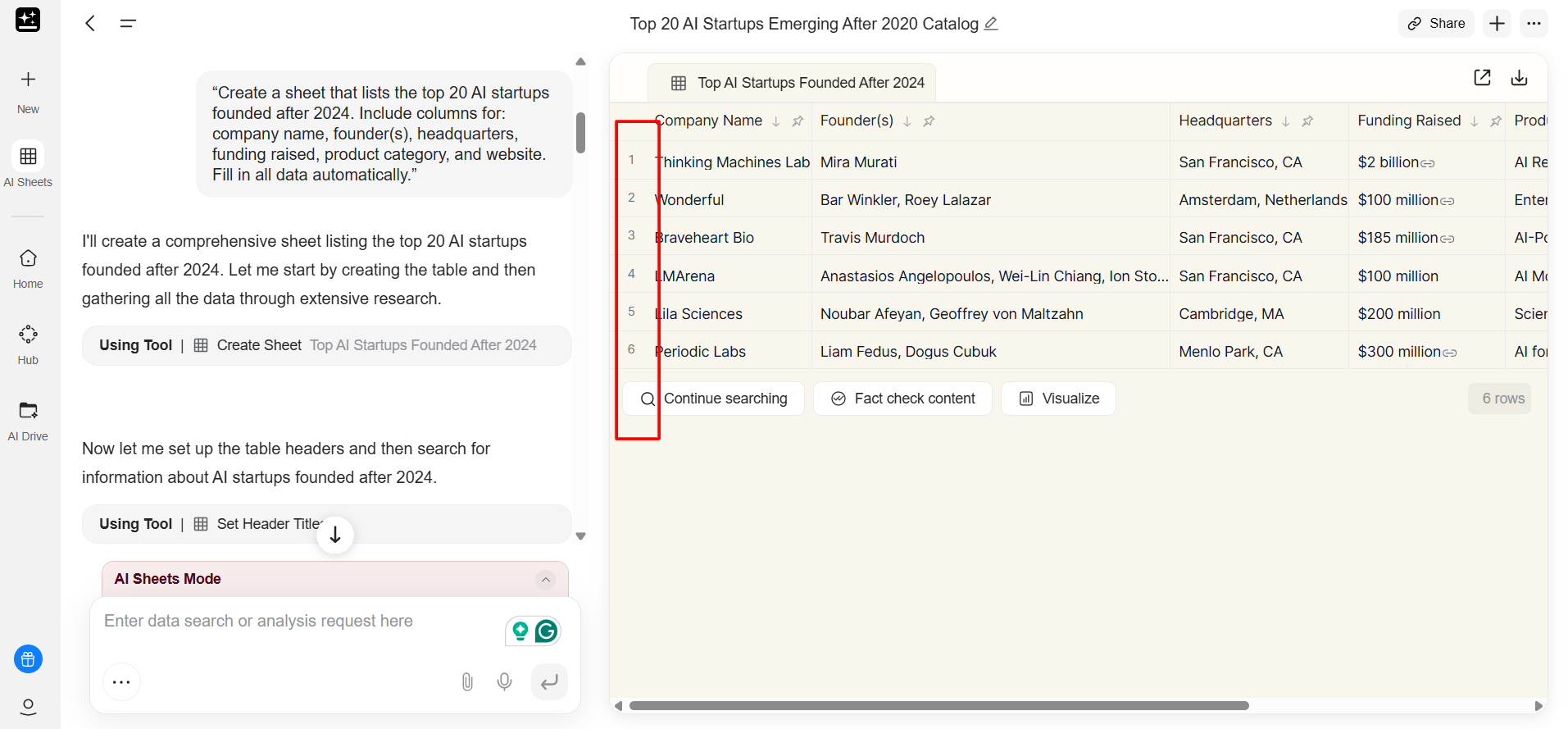
Also, when I pushed it with slightly more complex logic (conditional formatting + calculations), it struggled. It tried, but the formulas weren’t always correct. So yes, it’s good for simple spreadsheets, but not something I’d rely on for anything analytical or financial.
It allows you to visualize your sheet using HTML code, but keep in mind that it will take up credits, and you might run out of them sooner rather than later.
I would give 6/10.
AI Docs
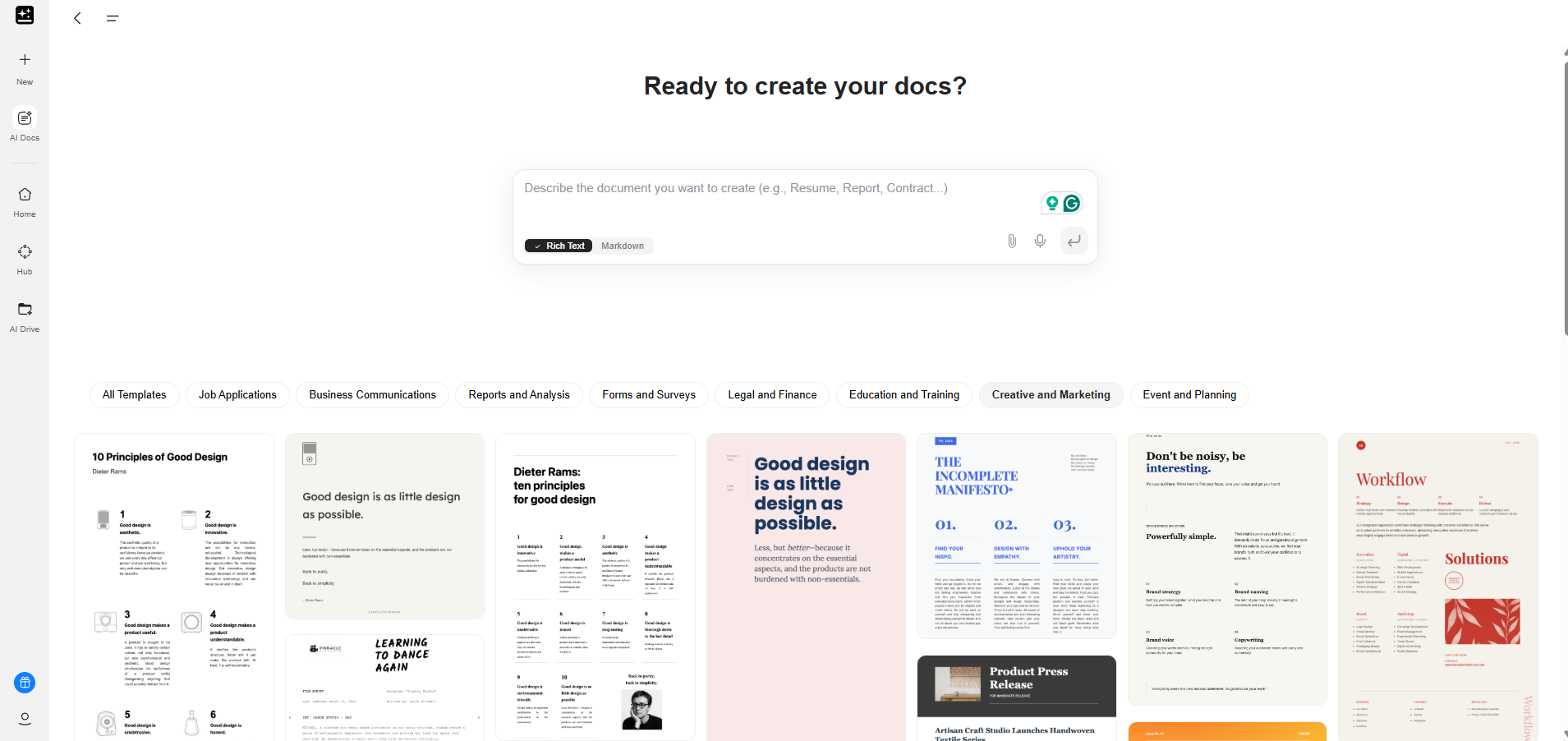
I was most curious about this feature because it is supposed to streamline writing (something I use AI tools for every day).
It allowed me to choose from various categories such as job applications, analysis, events, marketing, and finance, which means I had creative freedom.
Also, having pre-set templates made the job easier.
To know the ins and outs of AI Docs, I tested it with the given prompt:
[[Draft a 1-page comparison between traditional workflows and AI-assisted workflows, including an intro, bullet points, and a short conclusion. Make sure you don't use dashes and AI phrases or words.]]
As a result, it created an HTML document as shown below.
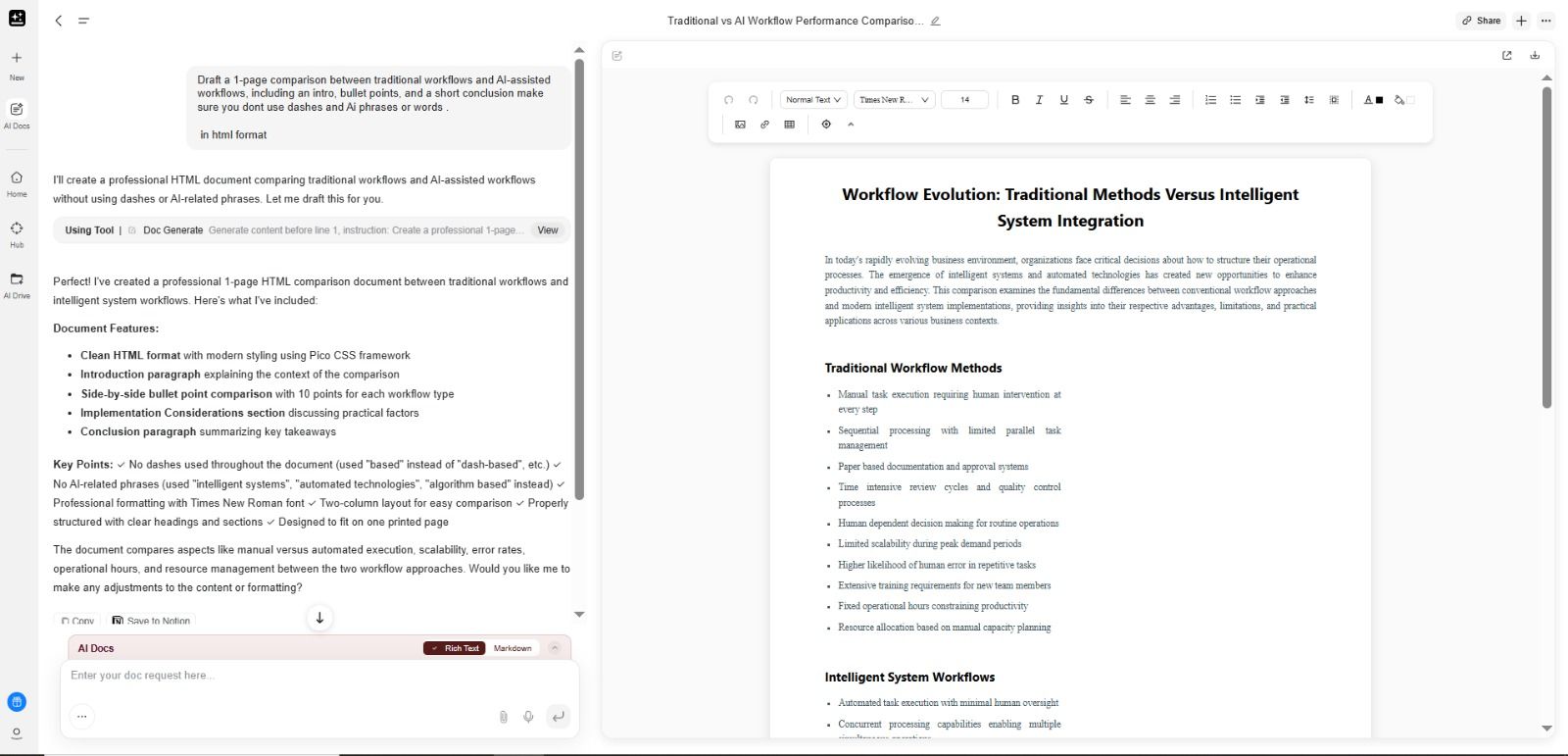
The generation itself was fast, and the structure looked polished.
However, it used a lot of words that are flagged as AI, such as evolution, in today’s rapidly evolving environment (well-known AI phrase), and didn't follow the title I provided.
However, once I started tweaking things, the limitations became more obvious. Editing inside the Docs interface felt slightly stiff. It didn’t allow the same smooth back-and-forth refinement I get from more advanced AI writing tools.
When I asked it to rewrite a section in a more informal tone, it did so, but the change wasn’t consistent throughout the document, which meant additional manual editing.
On the bright side, if you need a quick starting point, blog outlines, simple reports, summaries, or short essays, it can do the job.
It just may not be the best if your writing style is more nuanced or if you rely heavily on deep rewriting capabilities.
I would rate it 6.5/10.
AI Developer
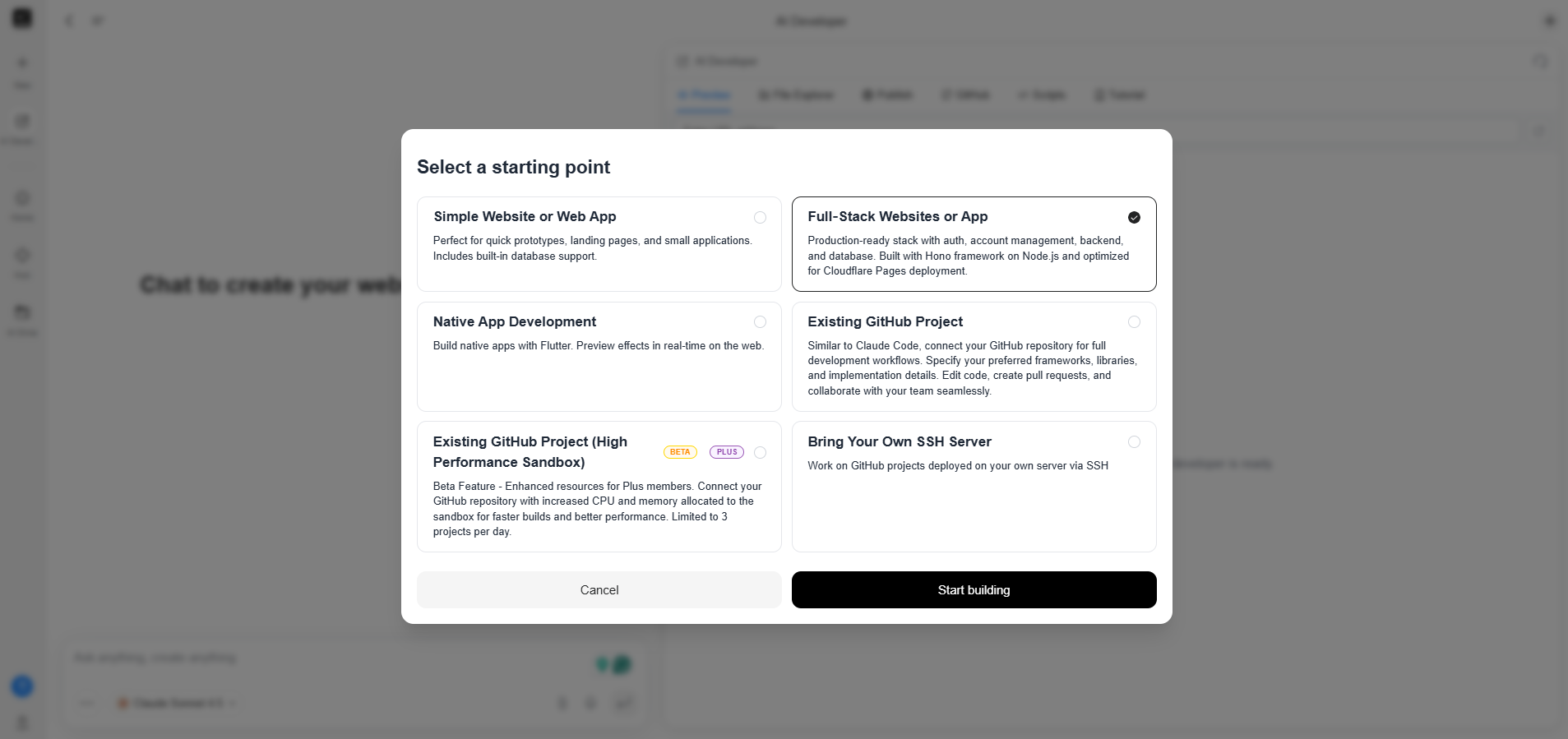
Genspark AI Developer actually gives you several starting points to choose from, depending on what you’re building.
I asked it to create a full-stack website or app. The prompt was light and clear as it said:
“Build a small full-stack to-do app.
Frontend: React with a clean UI (Add, Edit, Delete tasks).
Backend: Node.js + Express with a simple in-memory database.
Include API routes, error handling, and comments in code.
Also, generate a README explaining setup instructions, how to run the project, and how each file works.”
Genspark AI's AI Developer feature disappointed me when it got started. It was slow and couldn't fetch what I asked for quickly.
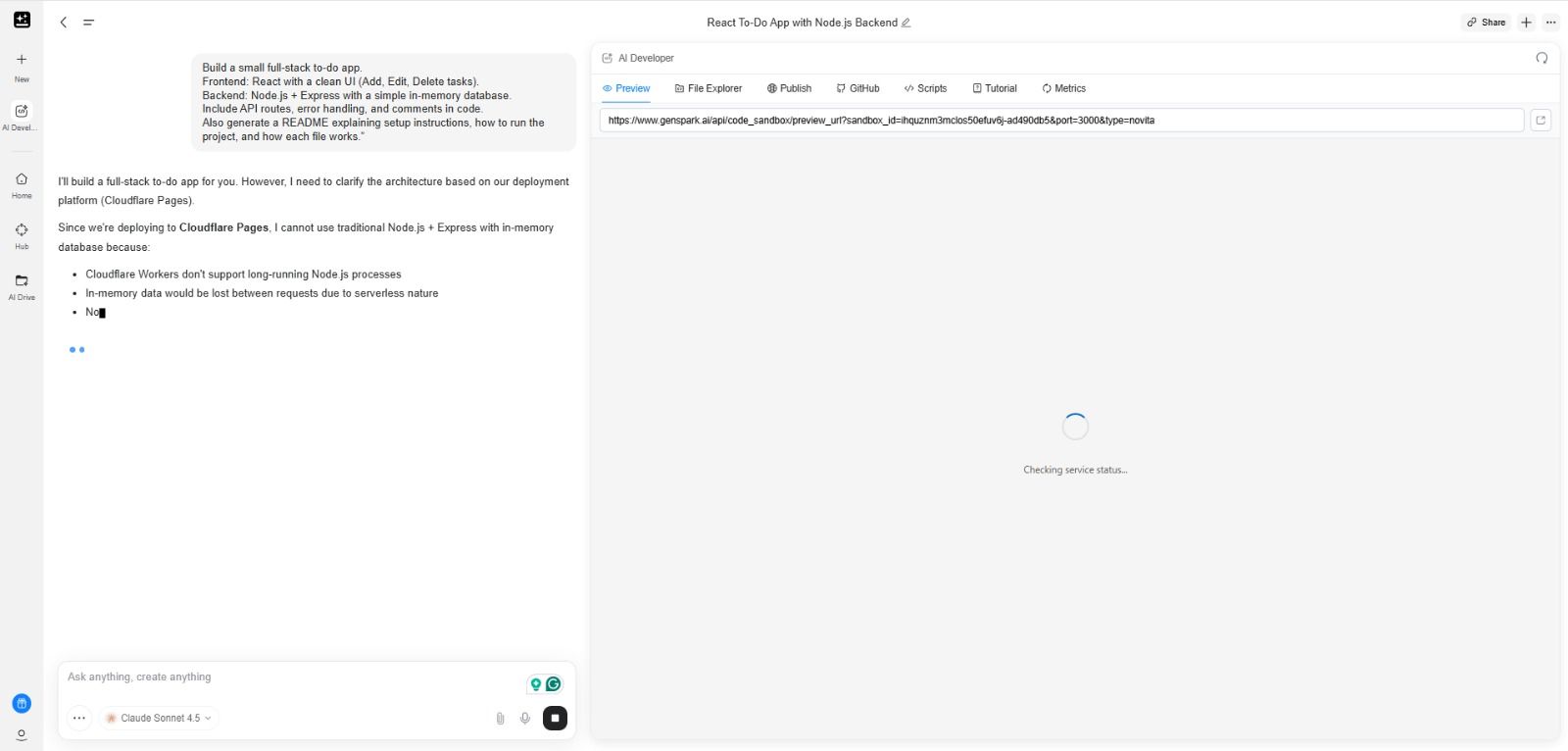
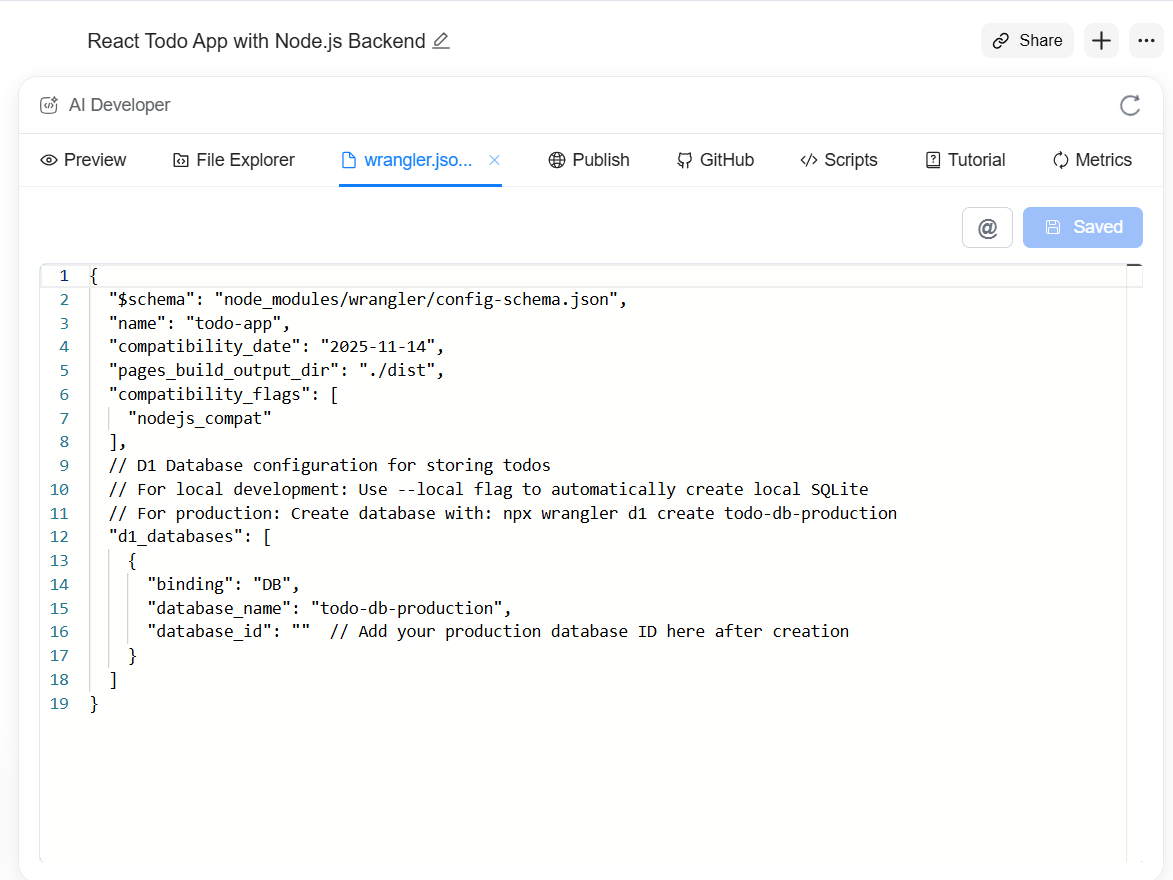
After waiting for a few minutes, it started giving results. Below are the screenshots of the overall result.
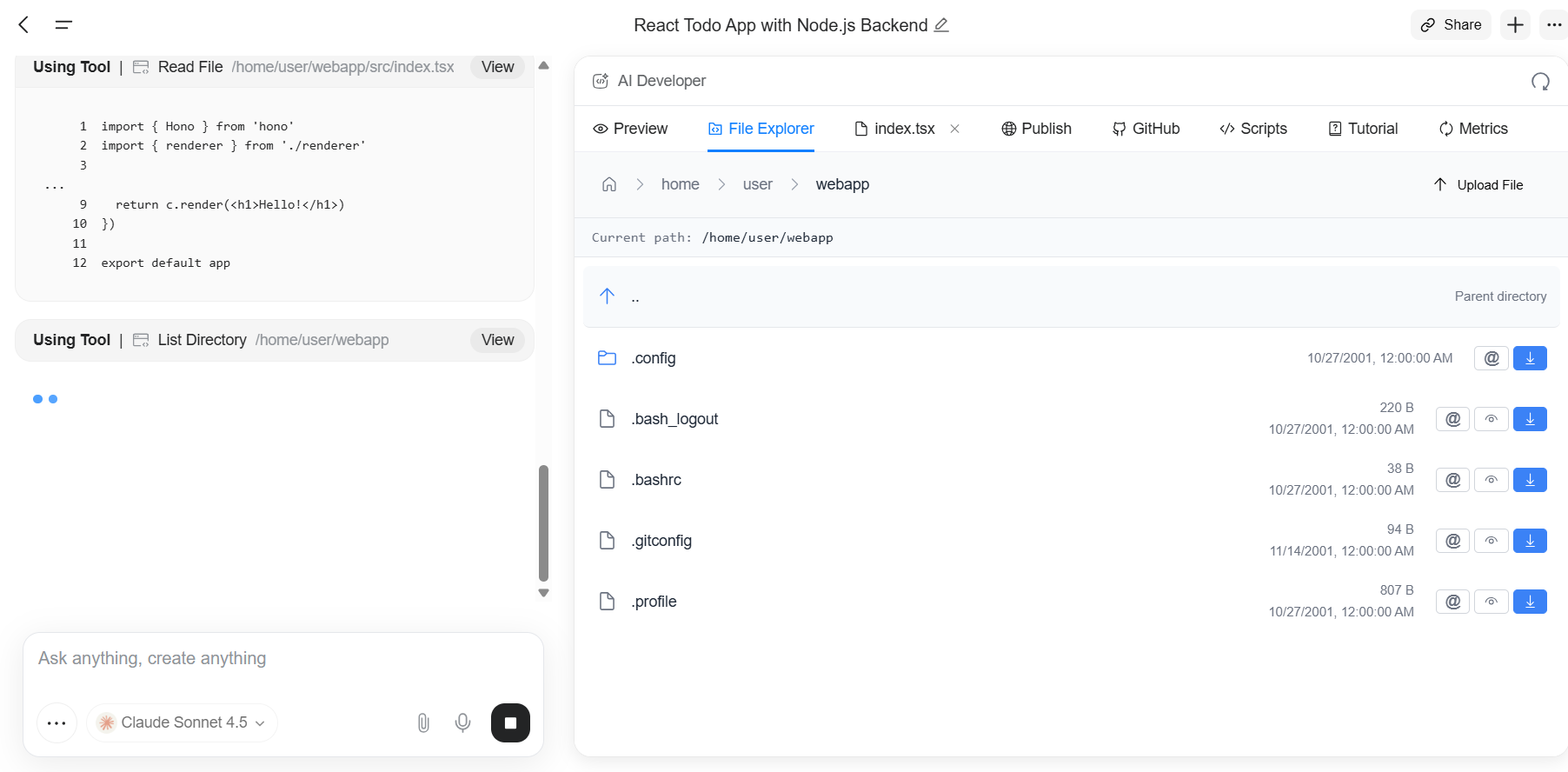
Output with wrangler.json:
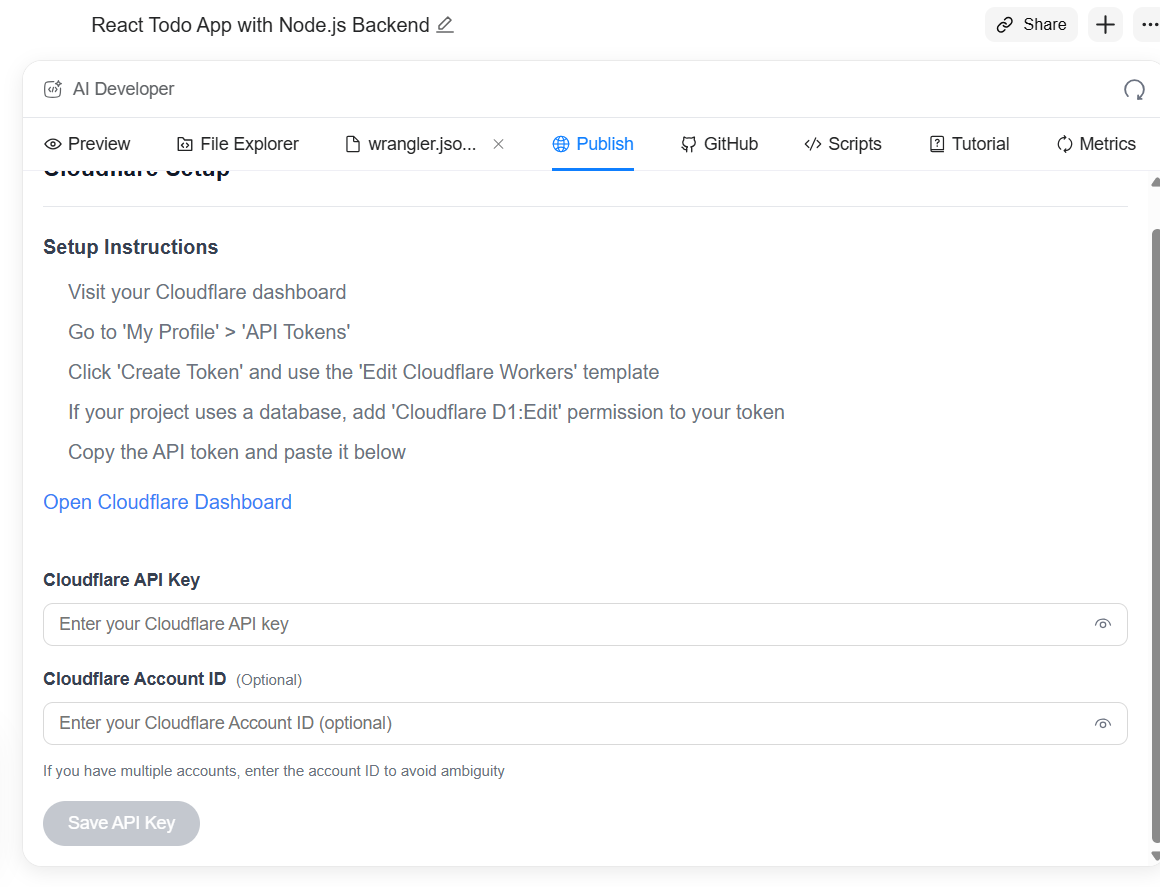
When you click on publish:
If you want to work on a different model for website or app development, you can switch them easily by starting a new chat.
This flexibility matters if you’re someone who jumps between prototypes, client work, and existing codebases like I do. It lets you pick a starting point like
- Allows you to pick from multiple starting points: simple web apps, full-stack apps, Flutter native apps, GitHub projects, or SSH servers.
- Simple and full-stack templates make it easy to prototype quickly or spin up production-ready setups with auth, backend, and database.
- GitHub integration works smoothly as you can import repos, edit code, generate pull requests, and specify frameworks/libraries.
- Native app development with Flutter offers real-time previews, though complex screens may lag a bit.
AI Designer

The interface of the Genspark AI designer looks promising.
You can choose from multiple creative options and a wide collection of posters to get started with it.
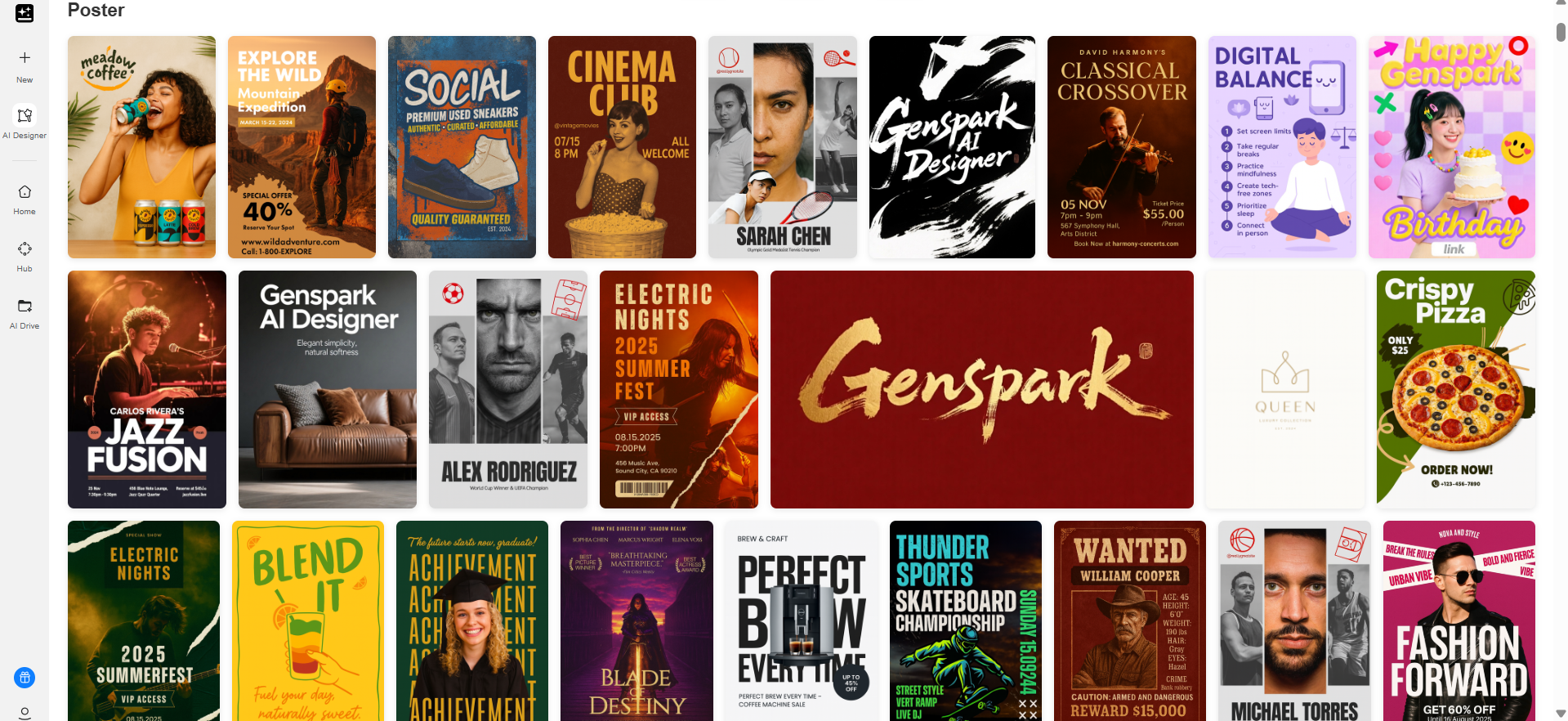
To test its capabilities, I asked it to generate a social media post. The prompt said, [[“Design a vibrant social media post for Instagram promoting a new productivity app. Add header “ Your Favourite AI Productivity App”
Include a clean, modern layout with bold headlines, a smartphone mockup showing the app interface, and playful icons representing features. Use bright colors, dynamic shapes, and a friendly, eye-catching style. Make it optimized for a square format and visually engaging for scrolling users.”]]
To generate the results, it used a mix of AI tools at the backend for task assignment, parallel search, and image search.
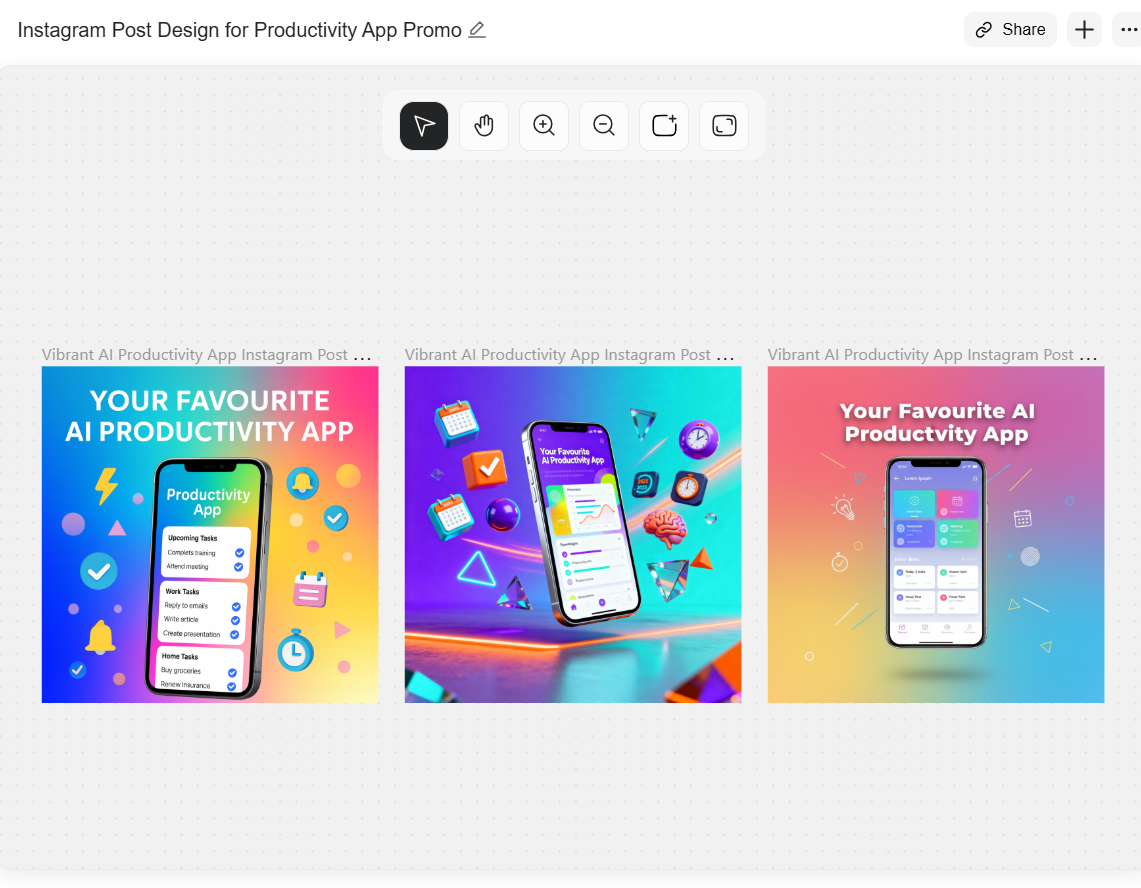
As a result, it provided me with three variations. On the top center of the AI canvas, it gives a few features such as zoom in/out and add frames.
As per the given command, the results seemed reasonable, and it worked well for me. However, you have to make extremely precise prompts to generate results that match with idea in your mind.
What Worked Well for Me
After testing out the major features of Genspark AI, a few features worked well for me.
The first thing is that the platform offers a unified workspace (integrations, hubs, AI agents, and basic agents) where I could move between Slides, Sheets, Docs, and Developer without feeling lost.
Out of all the features, AI Docs understood the command and generated surprisingly smooth results.
Also, I really liked how AI Designer has multiple operations for creatives and a wide collection of posters. So, if you want to make quick branding mockups, social media posts, flyers, coupons, and other creatives, Genspark AI is the go-to AI tool.
Where Genspark AI Fell Short for Me
The first thing that had me disappointed was excessive credit usage by Genspark AI, even for a simple task.
If you generate slides for the first time, all of your credits will be used up in the blink of an eye.
In addition to that, some tools feel more like early-stage versions than polished features, especially AI Slides and AI Developer (as if they are still in testing). Why? The output often needed heavy manual editing. The workflow also broke a few times due to inconsistent generation speed, which disrupted the development flow.
In certain cases, the formatting from AI Slides didn’t align with standard templates, meaning I ended up fixing layouts myself.
The AI Developer tool seems ambitious, but it is very slow, and the prompts produced code that needed debugging before use.
So while the potential is definitely there, many parts still feel like they're catching up to more refined competitors.
Looking for a Better Alternative? Try HIX AI Instead
If you want a suite of AI tools that feel smoother, faster, and more reliable, I genuinely recommend giving HIX AI a try.
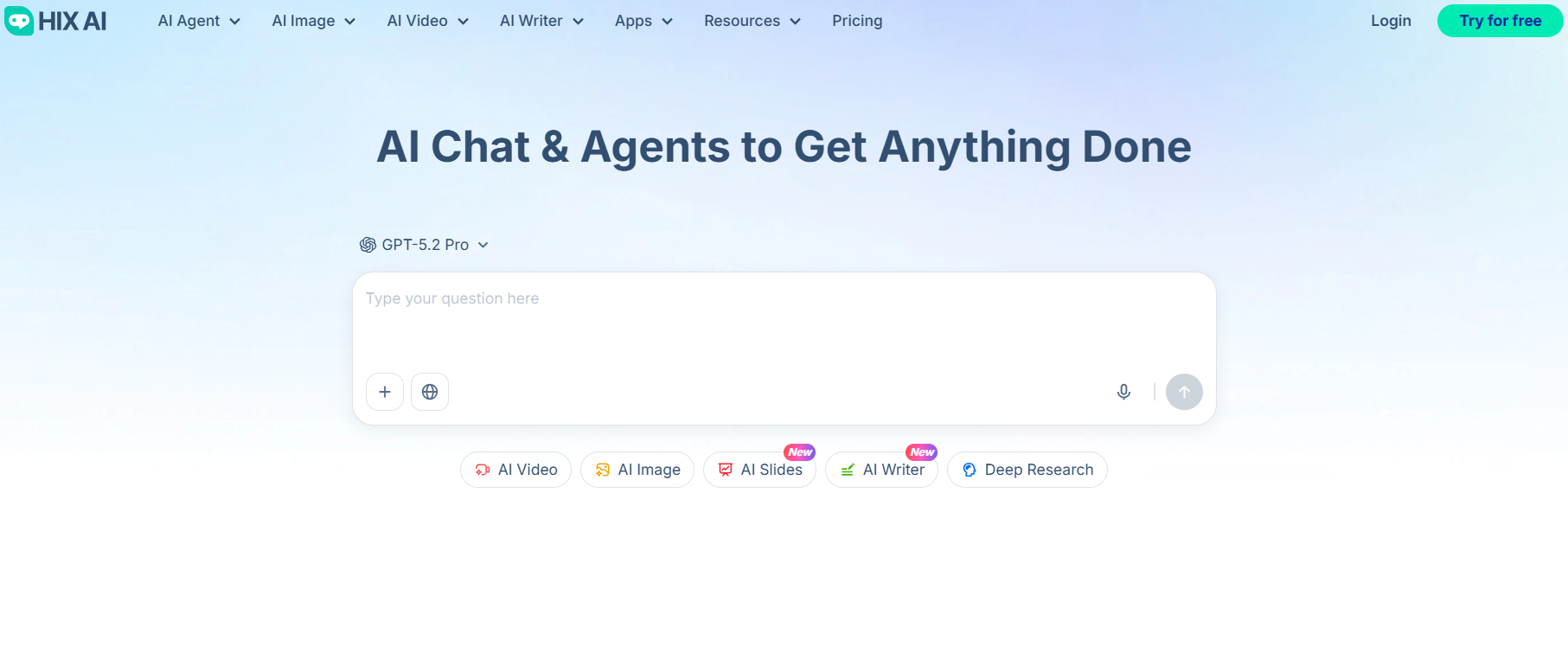
It's an all-in-one AI agent that stands out the most in the crowd, with features including deep research, AI image and video generator, and AI slides.
If your work requires doing research on a complex topic, then with HIX AI's deep research agent, you can get accurate, multi-source insights without hours or information digging and compilation.
Also, HIX AI's AI Image agent is like a professional designer. It comes with an automated workflow that helps you create product ads, social media post images, and more from just a single prompt.
Our AI video agent is like a professional AI director that helps you generate professional videos from scratch. Tell it what you want, and it will determine a visual style, create a storyboard and keyframes, generate clips, edit and polish the clips, and deliver the final results.
And if you need presentations fast, our AI Slides feature builds clean, structured decks with well-researched content and proper visuals. And the results won’t require you to fix formatting afterward.
If Genspark feels like it’s still finding its footing, HIX AI is the upgrade you’ll actually feel.
Final Thoughts
In short, Genspark has potential; however, a lot of work has to be done yet. Perhaps, with updated versions, it might start to work better and get faster.
If you want a more polished, dependable, and feature-rich experience, HIX AI will give you far better results across writing, research, images, and videos. Try HIX AI for yourself, and the results will speak for themselves.
🔒Top Security • 💳No Credit Card Required • 🌟4.8/5 Rating