



Qwen Image
Qwen Image is a powerful, open source AI image generator with support for embedded text in English and Chinese. In addition, it is now able to accomplish image editing jobs with text inputs alone, which is a notable achievement. Try Qwen Image in HIX AI image generator now!
Key Features of Qwen Image
- Advanced Prompts Understanding: Generate AI images adhere to guidance strictly
- Efficient Image Editing: Edit original image based on text instructions
- Accurate Text Rendering: Render text content in images seamlessly
- Effective Image Translation: Translate the text in the image into other languages
Advanced Prompts Understanding
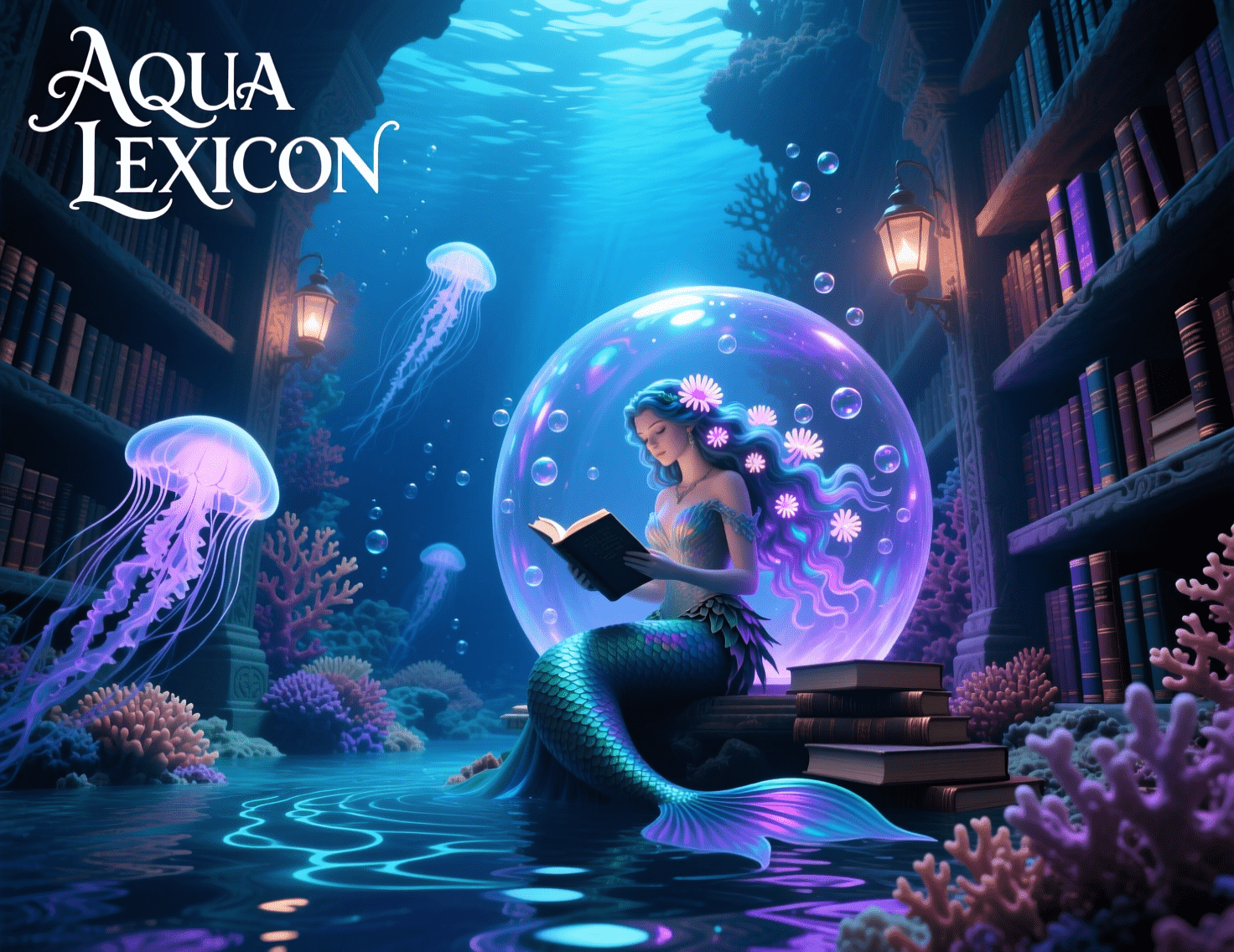
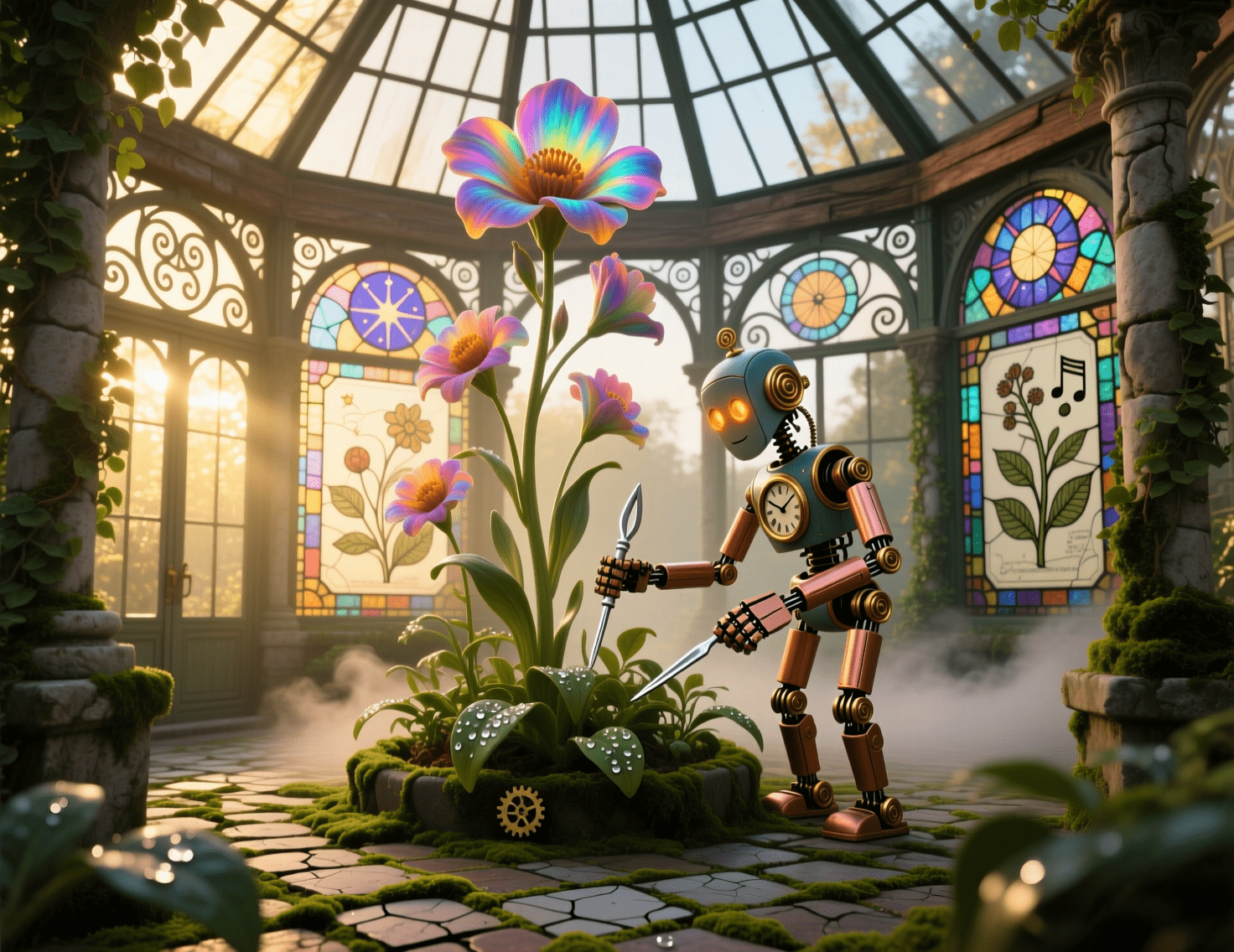
Qwen Image transforms elaborate prompts into visually coherent images, from photorealistic scenes to stylized artwork, enabling precise control over composition and creative intent without compromising detail or realism.
| Prompt | Image |
| An underwater library carved into a coral reef, illuminated by bioluminescent jellyfish floating among towering shelves of ancient, waterproof tomes, with a mermaid scholar in a flowing seaweed gown reading under a dome of shimmering bubbles. |
 |
| A cozy Victorian greenhouse at dawn, overflowing with oversized, fantastical flowers that hum softly with harmonic vibrations, tended by a clockwork automaton gardener, with stained-glass windows casting kaleidoscopic patterns across a mossy cobblestone floor. |
 |
Efficient Image Editing
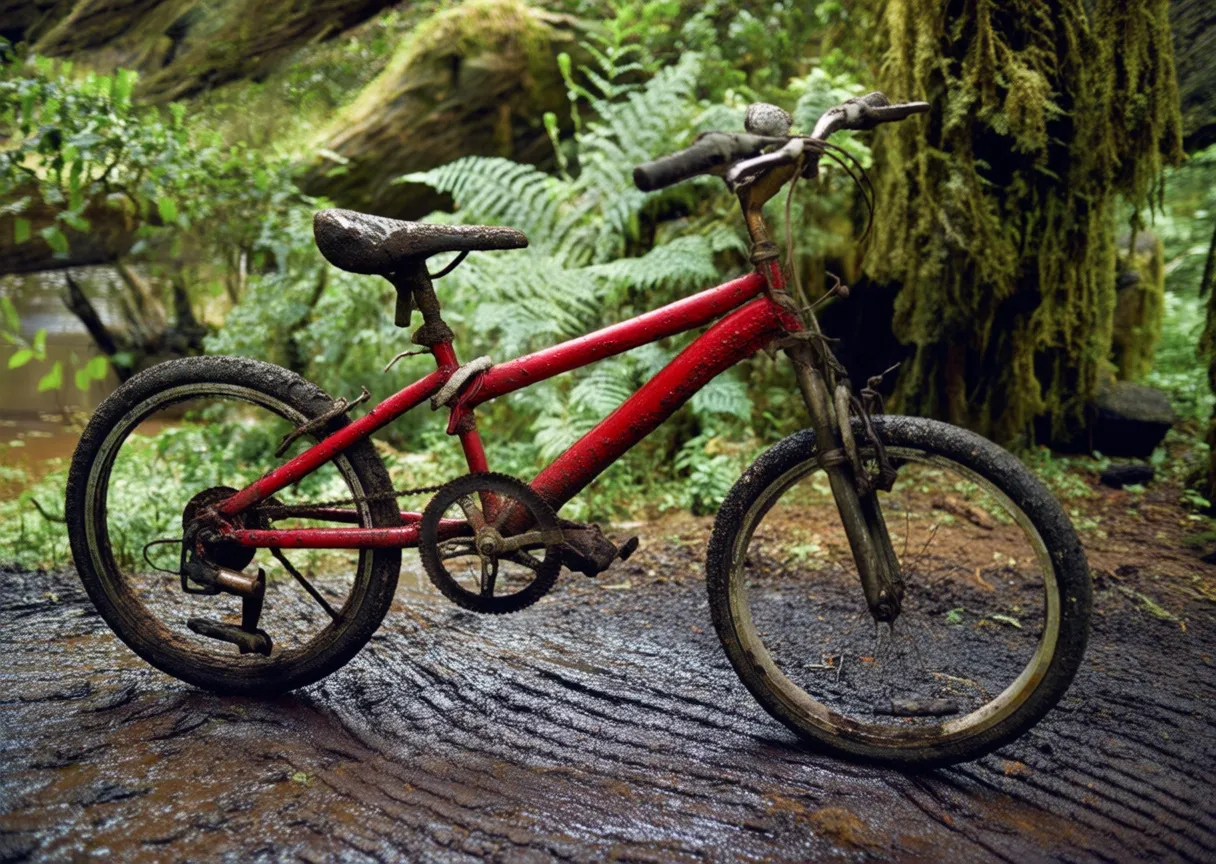
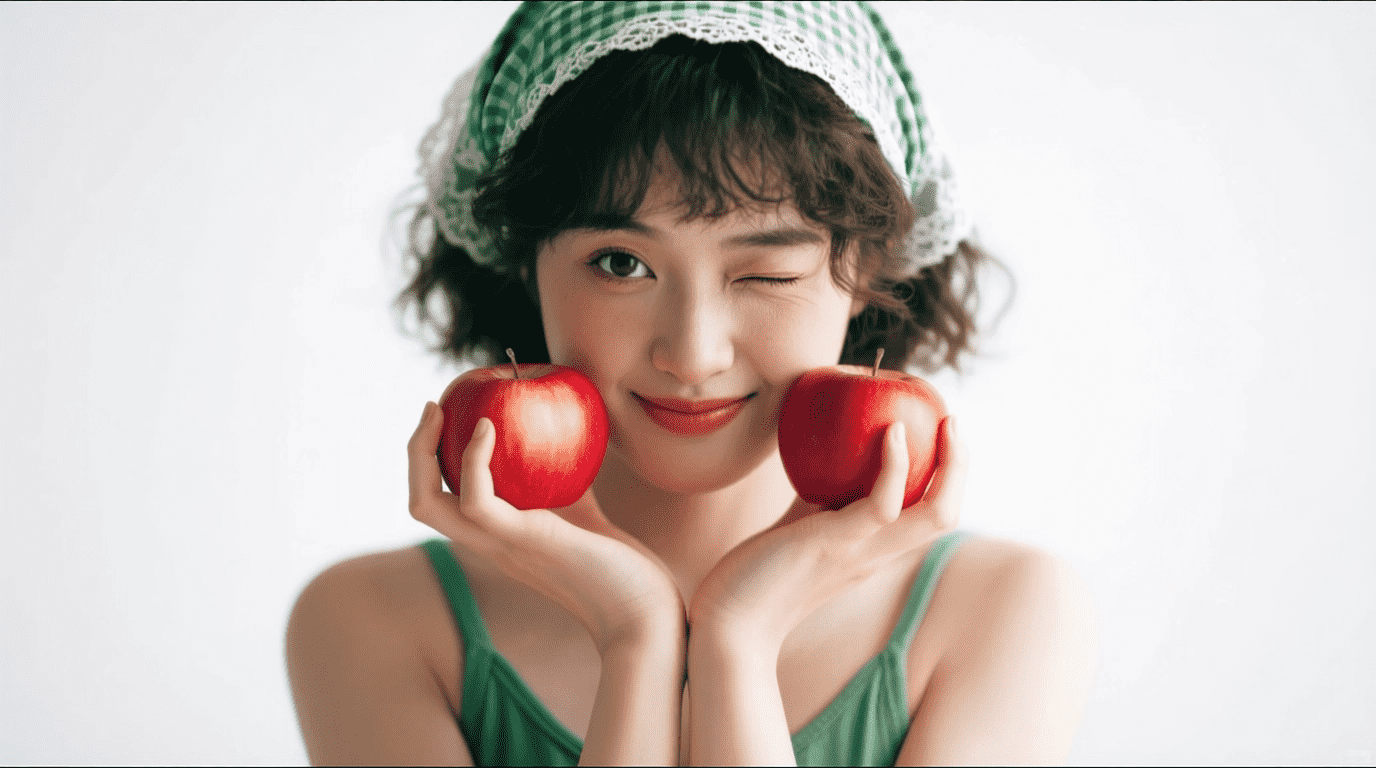
Qwen Image supports image edits such as modify text content, enhance image details and change image styles through text prompts, delivering pro-level results with minimal effort.
| Input Image | Prompt | Output Image |
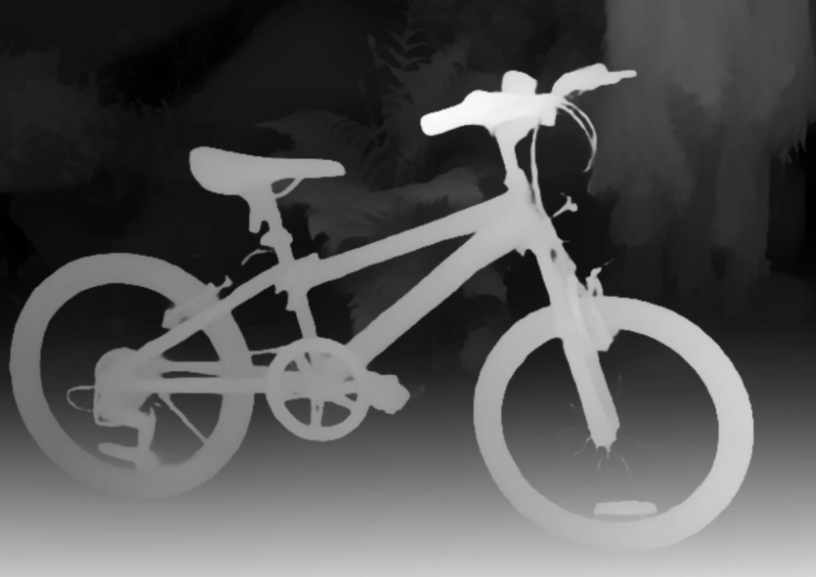 |
A red, dilapidated bicycle is parked on a muddy path with a dense primeval forest in the background. |
 |
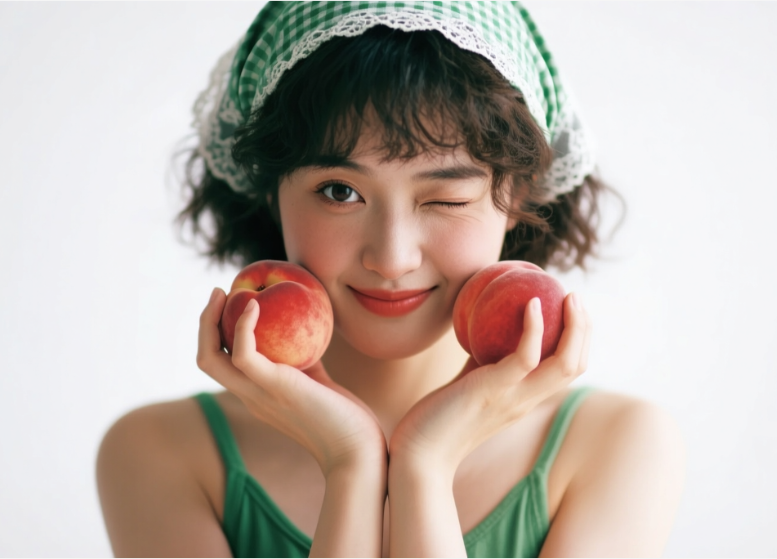 |
Replace peaches with apples |
 |
Accurate Text Rendering
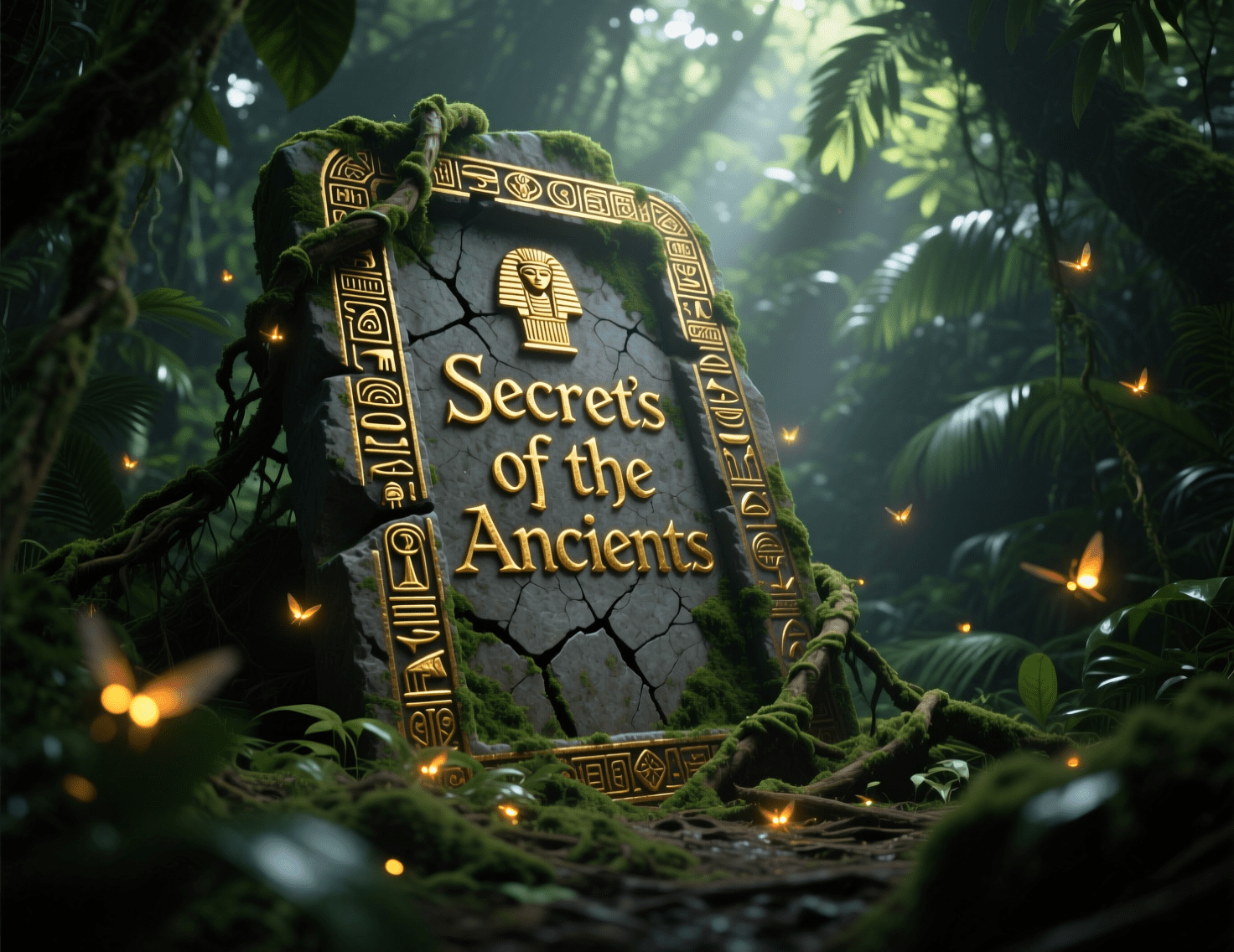
Qwen Image ensures precise integration of text into generated images, faithfully reproducing fonts and layouts as specified in prompts. It handles multilingual text with clarity, maintaining alignment and readability across diverse styles.
| Prompt | Image |
| A neon-lit retro diner signboard glowing against a starry night sky, displaying the phrase "Cosmic Bites" in bold, cursive neon pink and electric blue fonts, with a subtle flicker effect and a backdrop of swirling galaxy patterns. |
 |
| An ancient, weathered stone tablet half-buried in a lush jungle, engraved with the phrase "Secrets of the Ancients" in ornate, gold-inlaid hieroglyphic-style text, surrounded by creeping vines and glowing fireflies. |
 |
Effective Image Translation
Qwen Image enables seamless translation of English or Chinese text within images into other languages, preserving the original font, style, and layout.
| Original Image | Japanese Version | Portuguese Version |
 |
 |
 |
Qwen Image vs Wan AI
While both image models have deep roots in the Alibaba AI ecosystem, they are engineered with distinct core strengths. Read our table to find out more information:
| Aspect | Qwen Image | Wan AI |
| Primary Focus | Built for precise, text-heavy generation, professional infographics, and surgical editing. | Optimized for cinematic aesthetics, multi-reference style transfer, and preparing assets for video. |
| Text Rendering | ★★★★★ | ★★★★ |
| Aesthetics | Versatile | Cinematic |
| Editing Capabilities | Unifies generation and image editing natively within a single model architecture. | Excels at complex, structure-preserving edits and multi-image stylistic blending. |
| Human Subjects | Detailed | Lifelike |
| Photorealism | ★★★★ | ★★★★★ |
How to Use Qwen Image in HIX AI?
Enter Prompt or Upload Image
Describe the image you want to create or upload images for even better results.
Generate Your Image
Let HIX AI process your request and get stunning AI images instantly.
YouTube Videos About Qwen Image
Reddit Comments About Qwen Image
X Posts About Qwen Image
Tested @Alibaba_Qwen newest image editing model aka qwen-image-edit-2509 and its honestly really good, like veryyy close to nano banana on simple targeted prompt. pic.twitter.com/grEgQytS2o
— Simon Amable (@Simoncodingshit) October 11, 2025
Currently integrating the new Qwen Image Edit into my Consistent Character Creator + developing a new upscaling method that keeps subjects consistent across generations. Progress these last few days has been insane pic.twitter.com/TZOU3I1NJ1
— Mickmumpitz (@mickmumpitz) September 23, 2025
Anime character turn-around with qwen-image-edit
— GLIF (@heyglif) August 20, 2025
This model is incredible for visualizing your creative project pic.twitter.com/PczVzfmIo3
#QwenImage #AIart #AIArtwork
— Kawasemi(カワセミ、川蝉、Kingfisher) (@jinken777) October 11, 2025
Qwen-image-edit is amazing! pic.twitter.com/rfeX5LiI3N
👍 I have to say, THIS IS AMAZING!!
— Draw Things (@drawthingsapp) October 8, 2025
❤️🩹 The ability to restore and recolor old photos — Qwen Image Edit 2509 performs exceptionally well.
🌇 In the four examples in Draw Things below, the latest Qwen Image Edit 2509 Lightning 4-Step LoRA was used — bringing old photos back to… pic.twitter.com/64iE9Ad9RF
Impressed by how well the virtual try on works with the new qwen image edit model for every style.
— Mickmumpitz (@mickmumpitz) September 23, 2025
Prompt: "Keep the character and facial features exactly the same. The person is in front of a white background. Make the character wear the coat" pic.twitter.com/eWQHlxo7z3
Qwen-Image-Edit-2509でi2i的なことができるか試してみた。お題は『ムキムキTバック忍者』
— とりにく (@tori29umai) September 29, 2025
①Create a muscular ninja image based on the pose of the reference image. The background is white.
②を手動で雑に画像編集する。
③Let's generate an image of a muscular ninja wearing a risque… pic.twitter.com/yNLEN4Xk8u
Qwen image makes images too soft and blurry.
— A.I.Warper (@AIWarper) August 30, 2025
Nah you just don't know how to use it 😉 pic.twitter.com/em0gZ9ONWn
Be Happy, be less Google Nano Banana 🍌 and more be Qwen-Image-Edit-2509 😊 #OpenSource @ComfyUI pic.twitter.com/YJFlMAmZWj
— Ramon Guthrie (@Ramonnavarro) October 12, 2025
Qwen-Image-Edit 2509's controlnet feature works like a charm! https://t.co/lwQfEHU30P pic.twitter.com/d9BrccufTv
— Ashraff Hathibelagal (@Hathibel) October 6, 2025
FAQs
What types of prompts can I use with Qwen Image?
Qwen Image supports a wide range of prompts, from simple descriptions to complex, multi-element scenes. You can specify styles, moods, colors, and even intricate details like text placement or object arrangements for highly customized image outputs.
Can Qwen Image handle multilingual text in generated images?
Yes, Qwen Image excels at rendering multilingual text accurately, supporting languages like English and Chinese, with precise font styles and layouts as specified in your text prompt, ensuring clear and visually cohesive text integration.
How does Qwen Image’s editing feature work?
This feature allows you to modify images by adjusting colors, textures, or compositions, and supports advanced edits like object removal or style transfer, all while maintaining high image quality.
Is it possible to translate text in an existing image using Qwen Image?
Absolutely, Qwen Image offers a text translation feature that translates English or Chinese text within an image into other languages, preserving the original font, style, and layout for seamless multilingual outputs.
What image styles can Qwen Image generate?
Qwen Image can produce a diverse array of styles, including photorealistic, abstract, cyberpunk, watercolor, and more, allowing you to tailor outputs to specific artistic visions, from hyper-detailed realism to whimsical illustrations.