HIX AI Desktop App
Get ChatGPT for Windows
Experience the full power of ChatGPT on Windows
Money back guarantee
Free to try

How to Set Up HIX AI on Windows
Download
Download the HIX AI setup file directly from our website.
Install
Open the file and follow the simple instructions to install HIX AI.
Enjoy!
Launch HIX AI and enjoy its full AI power!
Why Choose HIX AI for Windows
Seamless Integration
Leverages the AI power of HIX AI Desktop App across social media platforms, development environments, office applications, and more on your Windows computerBoost Your Productivity
Generate text, write/troubleshoot codes, learn new concepts, or get insights for your business with unparalleled speed and efficiency.Global Reach
Get AI support in over 200+ languages, preparing you to handle multilingual tasks and reach a global audience.Ready-to-Use Prompts
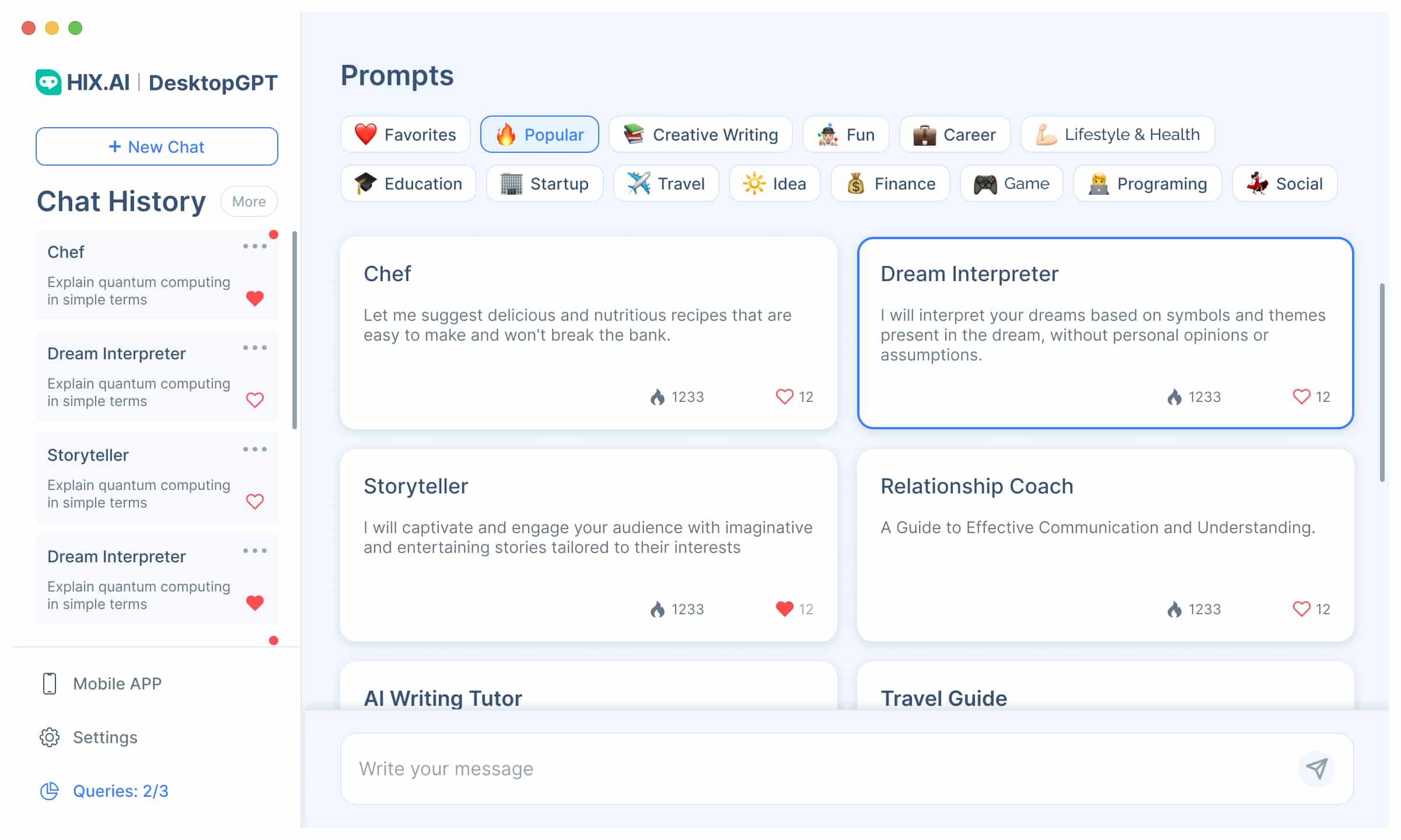
Access a vast library of prompts for various tasks, including crafting emails, coding, brainstorming ideas for business and creative writing.
Tailored ChatGPT for Windows
Get ChatGPT for Windows| 🦾 Superior AI power | All-in-one Windows copilot |
| 📚 Vast prompt library | Ready for writing, coding, and brainstorming |
| 🖱️ Easy to install | Get ready in just for a few clicks |
| 💳 Free to use | Try with no costs |
FAQs
How does HIX AI offer a "ChatGPT for Windows" power?
The desktop application developed by HIX.AI is an all-in-one AI copilot designed to help you boost productivity and creativity. It offers a ChatGPT for Windows experience on any websites, apps, docs, and emails on your PC or laptop.
How do I download and install HIX AI on Windows?
You can download HIX AI from our official download page. After downloading the file, double-click on it to follow the on-screen instructions to complete the installation.
Is HIX AI available for other operating systems?
Yes, we also offer HIX AI for macOS, enabling you to experience its power on your Mac computer.Is HIX AI desktop app for Windows free?
Yes. HIX AI desktop app offers free credits for new users to test its full features. If you use up the free credits, you can choose to subscribe to one of our affordable plans.Can I use the HIX AI desktop app offline?
HIX AI desktop app requires an internet connection to function. This is because it uses cloud-based technology to provide the best possible AI assistance.
How is my data handled by the HIX AI desktop app?
We take data privacy very seriously. Your data is processed securely and is not used for any other purposes. Please refer to our Privacy Policy for detailed information.
Download HIX AI for Your Windows Today!
Write, brainstorm, and explore in a whole new way on your Windows computer.
Money back guarantee
Support Win & Mac